-1.svg)
Applies to: Heartland Retail POS
This guide is specific to the Heartland Retail POS integration.
How do I award loyalty points for in-store purchases using Heartland Retail POS?
To award loyalty points for an in-store purchase using Heartland Retail POS, add the customer to the sale before completing the transaction. Loyalty points are applied automatically as soon as the sale is finished.
December 12, 2025
Award loyalty points for in-store purchases
For customers to earn loyalty points for their purchase, simply add the customer to the sale in Heartland Retail POS
1. Add the customer's products that they want to buy to the sale
2. Click Add customer

3. Add your customer to the sale by searching for them by name or email address
4. Click the customer's name or ID to add them to the current sale.

📝 Note: If the customer is not part of your database yet, tap + Add a new customer to create their customer profile. Follow these steps.
5. Complete the sale. When the sales is complete, the customer will automatically receive their loyalty points.
Your customers' experience
New Customers
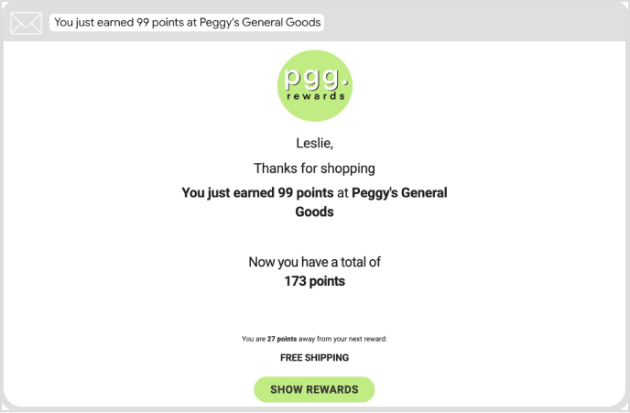
When you complete the sale, the customer is added to your loyalty program and Marsello customer database. Along with their purchase, they automatically earn loyalty points, and if you have the "Earned Points" email notification enabled, they will receive an email notifying them about the points they've earned, their updated loyalty points balance, and the number of points required to reach their next reward.
Plus, if the customer accepts marketing, they become eligible to receive your upcoming marketing campaigns and automation, providing a better engagement experience.
Existing Customers
When you complete the sale, they automatically earn loyalty points. If you have the Earned Points Email feature turned on, they will automatically receive an email notifying them of the points they've earned for their recent purchase and the number of points required to reach their next reward.
Encouraging your staff to prompt customers to redeem their rewards at the point of sale creates a positive experience that reinforces customer loyalty.
Points earned email example
What's next?
Brands also searched for: rewards redemption, new customer setup, loyalty points