For Heartland Retail POS brands, Marsello automatically syncs each purchase and awards or removes loyalty points based on the ticket's payment status. Follow these steps to choose which payment statuses earn points for purchases and to check a ticket's payment status in Heartland Retail POS.
December 12, 2025
For Heartland Retail POS brands
This guide is specific to the Heartland Retail POS integration.
Before you get started
Here are a few key details to note about awarding loyalty points for orders with Heartland Retail POS:
-
When a customer makes a purchase, the order is automatically synced to your Marsello account.
-
If you have the "Making a Purchase" option enabled in your points-earning settings, the customer will earn loyalty points for their purchase.
-
By default, customers earn points if payment status is Complete
-
-
Under Settings > Loyalty > Points Program, you can configure when points are awarded or removed based on the order’s payment status.
How do I choose which Heartland Retail POS payment statuses earn loyalty points?
For Heartland Retail POS brands, you choose which ticket payment statuses earn loyalty points for purchases in your Marsello Order Rewarding settings.
-
In your Marsello admin, go to Settings > Loyalty > Points program.
-
Under Heartland Retail > Order Rewarding, click Reward Points when Payment Status is one of:
-
From the drop-down, click to add or remove your preferred Payment Status options
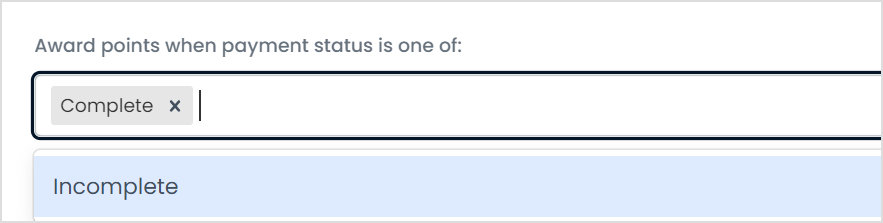
📝 Note: You can choose to add more than one payment status. Your customers will only be rewarded loyalty points for their purchase once.
-
Click Save.
How do I check a ticket's payment status in Heartland Retail POS?
-
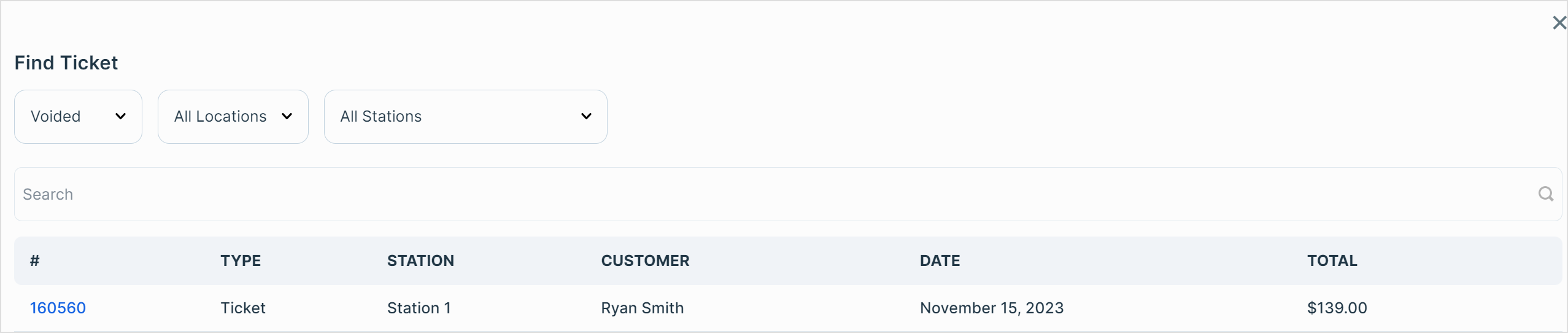
In your Heartland Retail POS admin, in the top nav, go to Sales
-
Click Tickets.
-
Search for the purchase by Customer Name or Ticket ID.
-
On the ticket line item, find the ticket's Payment Status. Compare it with your Marsello Order Rewarding settings for earned or removed points.

Your customers' experience
For Heartland Retail POS brands, when a customer makes a purchase, the ticket details and payment status automatically sync to your Marsello account.
Earn loyalty points from Heartland Retail POS purchases
When a ticket's payment status aligns with your Marsello Order Rewarding settings, customers automatically earn points.
If the Earned Points Email notification is enabled, they’ll receive an email with their earned points detail.