
Set when loyalty points are removed inHeartland Retail POS based on an order’s payment status.
December 12, 2025
For Heartland Retail POS brands
Before you get started
Here are a few key details to note about automatically removing loyalty points for orders with Heartland Retail POS:
-
If the order is canceled or returned, points are automatically removed when the payment status is Void.
-
You can adjust these rules under Settings > Loyalty > Points Program.
How do I choose when Heartland Retail POS loyalty points are removed?
⚠️ Important: For Heartland Retail POS brands, loyalty points are removed by default if the payment status is Void.
-
In your Marsello admin, go to Settings > Loyalty > Points program
-
Under Heartland Retail > Order Rewarding, find the Cancel Points when Payment Status is one of: setting.

💡 Optional step: You can update the Cancel Points when Payment Status is one of: setting to better suit your program.
-
Option 1 – Remove the Void status
→ Customers will keep their points even if the order is refunded
-
Option 2 – Leave the setting as is
→ Customers’ points will be removed if the order’s payment status is updated to Void
-
Click Save.
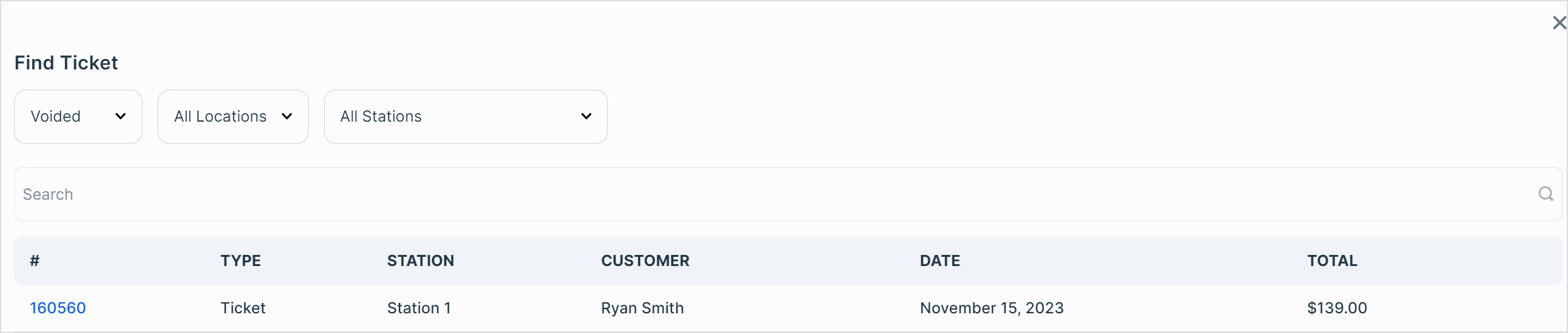
How do I check a ticket's payment status in Heartland Retail POS?
-
In your Heartland Retail POS admin, in the top nav, go to Sales
-
Click Tickets
-
Search for the purchase by Customer Name, Ticket ID
-
On the ticket line item, find the ticket's Payment Status. Compare it with your Marsello loyalty Order Rewarding settings to see if points are earned or removed.

Your customers' experience
For Heartland Retail POS brands, when a customer makes a purchase, the ticket details and payment status sync automatically to your Marsello account.
How are loyalty points removed when a Heartland Retail POS purchase is returned or canceled?
For Heartland Retail POS brands, when a customer returns a purchase or cancels a sale, the ticket and its updated payment status sync automatically with your Marsello account.
If the new payment status aligns with your Marsello Order Rewarding settings, the customer's loyalty points are automatically deducted from their profile.