
Troubleshooting: Rewards not redeeming on Lightspeed Retail X-Series iOS extension
If loyalty rewards aren't redeeming on your iPad when you use the Marsello iOS extension for Lightspeed Retail (X-Series) POS, this guide covers two fixes: reinstalling the apps, then resetting your iPad to factory settings.
July 17, 2025
For Lightspeed Retail (X-Series) POS brands
This guide is specific to the Lightspeed Retail (X-Series) POS integration.
Before you get started
- What to have ready before troubleshooting, for example a customer email
- Check the App Status page to rule out an outage first.
Method 1: Do the Marsello iOS extension and the Lightspeed Retail X-Series POS app need reinstalling?
For Lightspeed Retail (X-Series) POS brands, [CHECK: one sentence on why this cause stops rewards redeeming on the iOS extension]
How to check
[CHECK: steps to confirm whether reinstalling is needed]
How to fix
Step 1: Uninstall the Lightspeed Retail X-Series app
-
Touch and hold the Lightspeed Retail X-Series app on the Home Screen of your iPad.

-
A pop-up menu will appear. Tap Remove App from the menu.
-
Confirm that you want to remove the app when prompted.
Step 2: Uninstall the Marsello iOS extension
-
Locate the Marsello iOS extension app on your iPad’s home screen. Press and hold the app icon.

-
A pop-up menu will appear. Tap Remove App from the menu.
-
Confirm that you want to remove the app when prompted.
Step 3: Reinstall the Lightspeed Retail X-Series app
-
On your iPad, launch the App Store
-
In the App Store, search for Lightspeed Retail POS (X)
-
Tap Get to install

-
Follow the prompts to login to your Lightspeed Retail X-Series account.
Step 4: Reinstall the Marsello iOS extension
-
On your iPad, launch the App Store
-
In the App Store, search for Marsello, or click here to access the Marsello app.
-
Tap Get to install
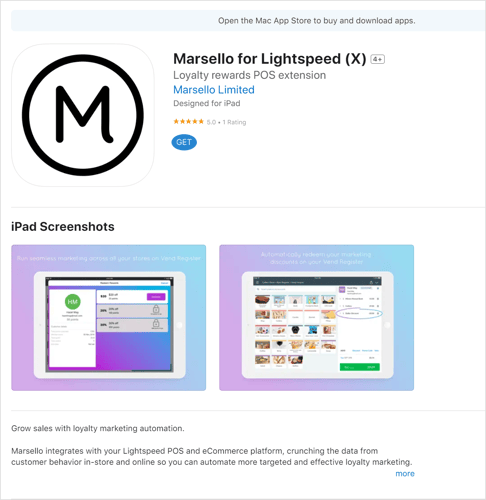
Once installed, the Marsello iOS extension for Lightspeed Retail (X-Series) POS will now display on your iPad.
Marsello is now activated. Staff can now access the customers' loyalty profile & available email discounts when processing sales in your Lightspeed Retail (X-Series) app ✨
⚠️ Important: The Marsello iOS extension for Lightspeed Retail (X-Series) shows a log-in screen, but you don't need to log in. Once installed, the app automatically connects to your Lightspeed Retail (X-Series) POS account. Everything is set up and ready to go.
Method 2: Does your iPad need a factory reset and a reinstall of Lightspeed X-Series and the Marsello extension?
⚠️ Important: We recommend trying Method 1 (uninstall and reinstall the iOS extension and the Lightspeed Retail X-Series POS app) first. Only move on to Method 2 if Method 1 doesn't fix rewards not redeeming.
Step 1: Reset Your iPad to Factory Settings
This Apple support guide will walk you through safely resetting your iPad to factory settings.
Step 2: Reinstalling the Lightspeed Retail X-Series App on Your iPad
-
Download the Lightspeed Retail X-Series iOS App onto your iPad.

Before you download the iOS extension, log into your Marsello dashboard and check that the store site for this iPad is enabled under Sales platforms.
Step 3: Reinstall the Marsello iOS extension on your iPad
-
On your iPad, launch the App Store
-
In the App Store, search for Marsello, or click here to access the Marsello app.
-
Tap Get to install
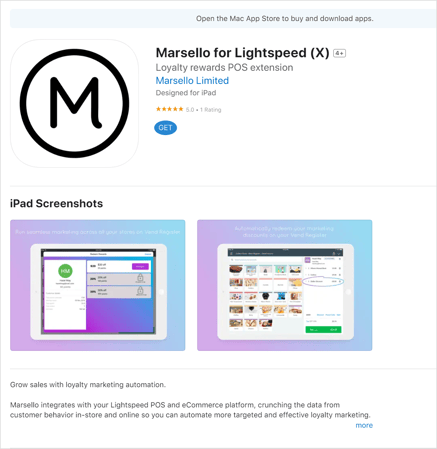
Once installed, the Marsello iOS extension for Lightspeed Retail (X-Series) POS will now display on your iPad.
Marsello is now activated. Staff can now access the customers' loyalty profile & available email discounts when processing sales in your Lightspeed Retail (X-Series) app ✨
⚠️ Important: The Marsello iOS extension for Lightspeed Retail (X-Series) displays a log-in screen; however, once installed, the app will automatically connect to your Lightspeed Retail (X-Series) POS account, so there's no need to log in. Everything is set up and ready to go.
Still not working?
If rewards are still not redeeming after you have tried Method 1 and Method 2, contact Marsello support. When you contact us, include:
- Which methods you have tried (Method 1, Method 2 or both).
- The store site the iPad belongs to, and whether it is enabled under Sales platforms.
- A screenshot of what you see when you try to redeem a reward on the iPad.
How to contact Marsello support