The Creating an account earn option gives customers loyalty points when they create a loyalty account, also called signing up for or joining your loyalty program. Use it to boost sign-ups and start building engagement with new customers. This guide shows you how to set the points, what your customers see and how to track performance.
🏷️Available on all Marsello pricing plans.
How do customers create an account with my store?
Create a loyalty account through your online store
Online, customers create a loyalty account through your online store's built-in create an account form or during checkout. Marsello integrates into your eCommerce store accounts, so each customer has just one account for your online store and loyalty program.
📖 Learn more:
-
How customers create an account online using Shopify eCommerce
-
How customers create an account online using Lightspeed ECWID
Create a loyalty account in-store at your POS
In-store, customers sign up at checkout by giving their first name & email address or mobile number. Marsello integrates into your POS store accounts, so each customer has just one account for your POS store and loyalty program.
📖 Learn more:
-
How customers create an account in-store using Shopify POS
-
How customers create an account in-store with Lightspeed Restaurant K-Series
-
How customers create an account in-store using Lightspeed O-Series
-
How customers create an account in-store using Lightspeed X-Series iOS App
-
How customers create an account in-store using Lightspeed X-Series Desktop on Chrome
-
How customers create an account in-store using Toniq & Windows Based POS
Create one loyalty account for omnichannel stores
Marsello integrates into your eCommerce store accounts and POS customer accounts, which allows the customer to have just one account for your online store, in-store site, and loyalty program.
-
When a customer signs up in-store, and then creates an account online, Marsello automatically matches the customer by email address, giving the customer a loyalty profile that works in-store and online.
-
When a customer signs up online, and then creates an account in-store while making a purchase, Marsello automatically matches the customer by email address, giving the customer a loyalty profile that works online and in-store.
How do I set points for the Creating an account earn option?
-
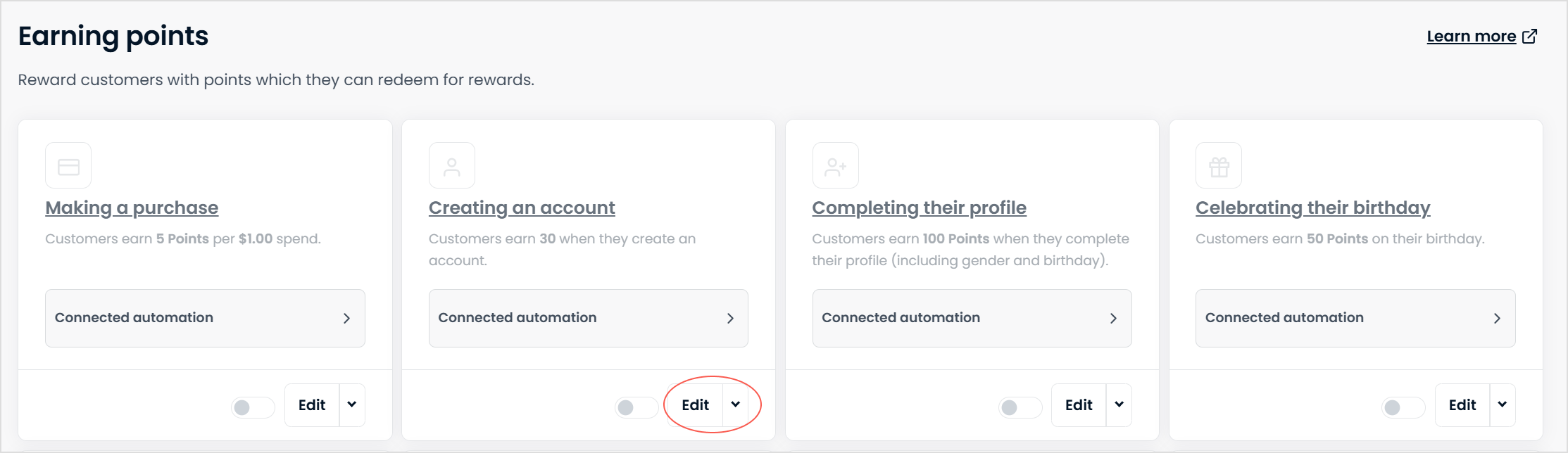
In your Marsello admin, go to Loyalty > Points Program > Earning > Creating an account and select edit.
-
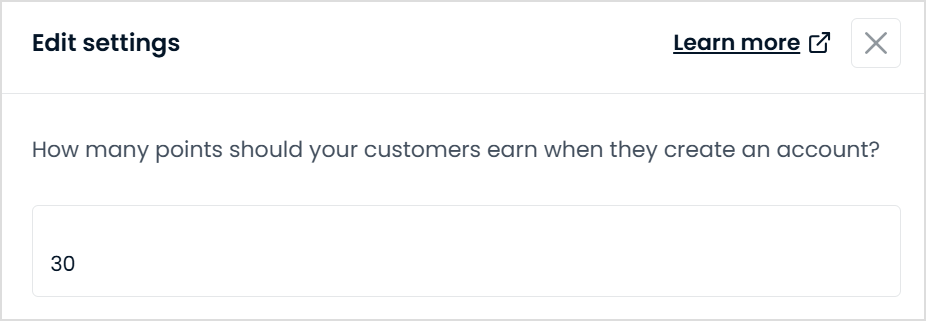
Under How many points should your customers earn when they create an account? Enter the number of loyalty points you would like to reward your members for creating a loyalty account
📝 Note: To let guest customers earn points in your store, select the check box under the points setting field labelled New customers who are added as guests can earn points.

-
Click Save changes
-
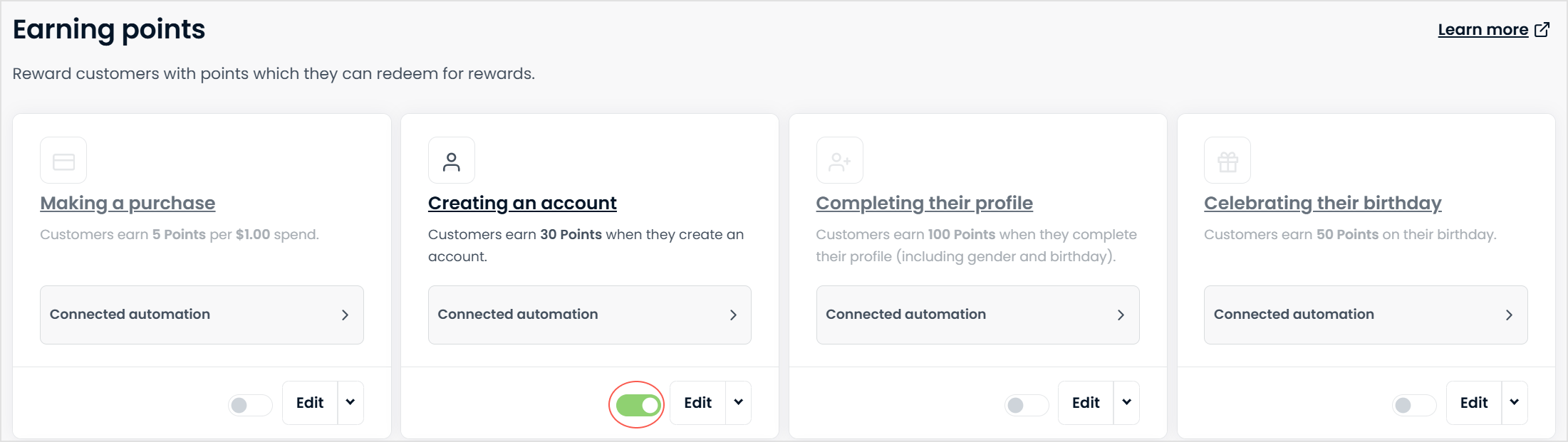
Back in the main earning points menu, turn the ON/OFF toggle for the Creating an account earn option to ON.
Your customers' experience
When a customer joins your loyalty program, they automatically receive their 'Create an account' reward points. Customers can join by making a purchase or by signing up through your loyalty portal.
💡 Tip: Give your new customers enough points for creating an account so they are close to unlocking their first reward. This will encourage them to spend again.
If a customer already has a customer account with your store, they simply won't see the option to 'create an account' in the Earn section of your loyalty widget.

📝 Note: If you have your Points Earned automation turned on, your customer will automatically be notified by email. This email will let them know how many loyalty points they have earned, their new loyalty points balance, and how many points away they are from their next reward.
How do I track the performance of the Creating an account earn option?
Once you've set up how many points your customers earn for creating a loyalty program account, you can track the progress. Here's how:
1. In your Earning tab > Creating an account, click the down arrow beside the edit button and View reporting.
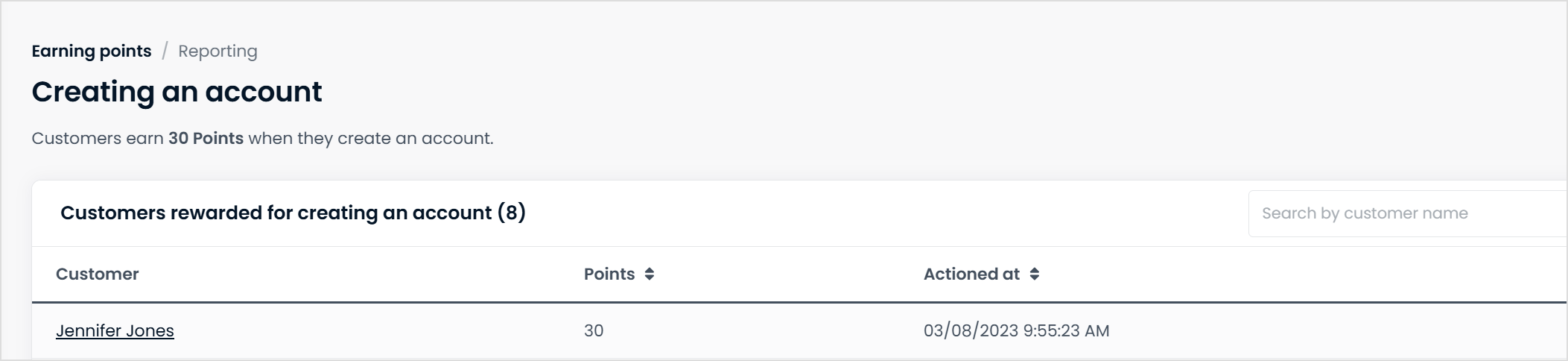
This will open the insight page. Here you can see:
-
Customers who completed this action
-
The amount of points they've earned
-
The date they completed the action