
Your returning customer can't log into their Shopify eCommerce store account and may see a message stating their account doesn't exist. This guide walks through the steps to help get your customer back into their Shopify eCommerce store account.
December 1, 2025
Applies to: Shopify eCommerce
This guide is specific to the Shopify integration.
Did the customer complete their Shopify account setup?
For Shopify brands, customers who don’t complete the full account setup in Shopify or miss the account invitation email may see a message stating their account doesn’t exist when they try to log in. This usually happens three months after the account was created.
Take these steps to help your customer regain access to their Shopify eCommerce account.
From your Shopify dashboard:
-
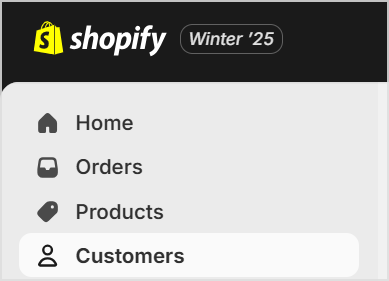
Click on Customers
-
Search for the customer in question and open the customer's account page

-
Click the More actions drop-down menu.
-
Check whether there is an option to send account invite.

-
If you see the send account invite option on your Shopify dashboard
-
Click send account invite to send a new account invitation to your customer.
-
Let your customer know you have sent a new account invitation and ask them to accept the invitation
-
Once the invitation is accepted, the customer should be able to log back into their Shopify account.
-
-
If you do not see the send account invite option on your Shopify dashboard
-
Please contact the Shopify support team for further assistance on bringing this customer account back online.
-
Are customer accounts enabled in your Shopify settings?
For Shopify brands, customers can’t log in to their store account if Customer accounts aren’t enabled in your Shopify settings.
-
If you see a spike in customers reporting login issues despite following the account invitation steps in this guide, double-check your Shopify settings.
-
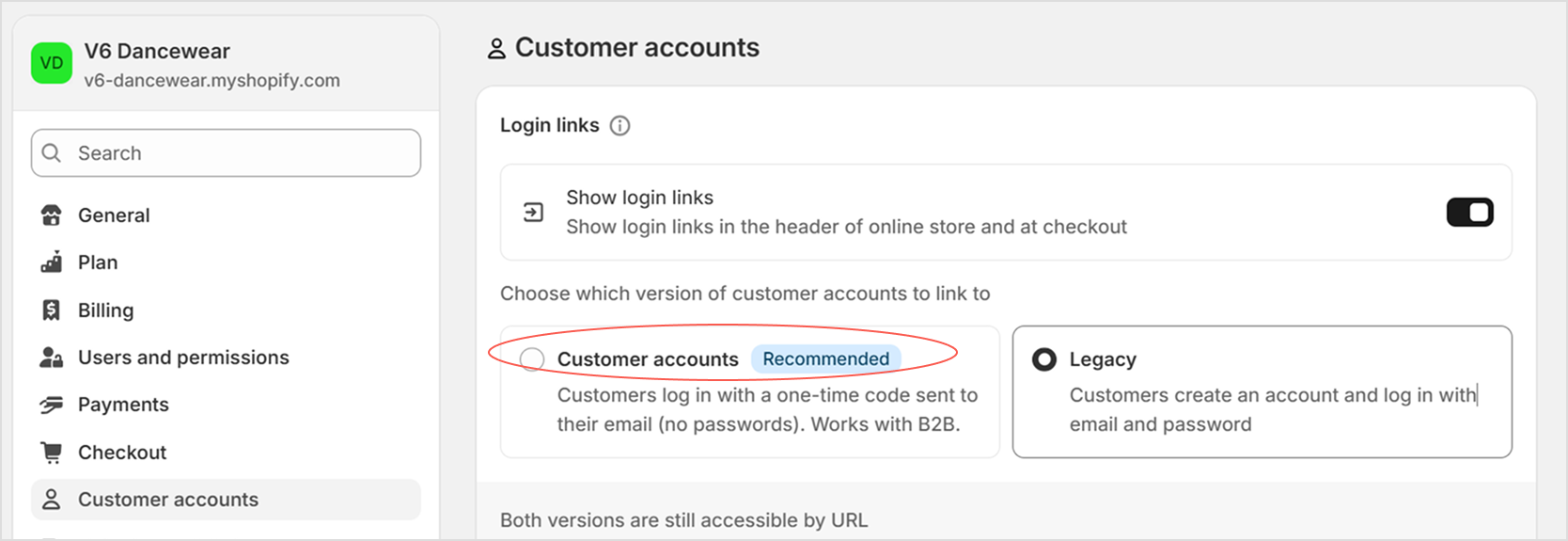
In your Shopify admin, go to Settings > Customer accounts.
-
Under Sign-in links, ensure that Customer accounts are enabled.
-
If Customer accounts aren’t enabled, enable them under Settings > Customer accounts > Sign-in links.