-1.svg)
Cin7 Omni: Enable Marsello on your POS sites
Choose which Cin7 Omni sites (store locations) use Marsello. When a site is on, staff can add customers to your loyalty program and redeem rewards and discounts at that site's POS, and customers earn points on their in-store purchases.
Updated: September 29, 2026
Applies to: Cin7 Omni
This guide is specific to the Cin7 Omni POS integration.
Before you get started
Here are some key details to note about enabling Cin7 Omni sites in Marsello:
-
Install the Marsello Chrome extension on every computer you use as a Cin7 Omni till. How to install the Marsello extension for Cin7 Omni
-
Create the Marsello Discount product in Cin7 Omni. Staff can't redeem rewards without it. How to create a Marsello Discount product in Cin7 Omni

How to turn on Marsello on or off for a site
📝 Note: A site is a branch (store location) in your Cin7 Omni account. You choose which sites use Marsello. Each site you turn on is billed as a separate location.
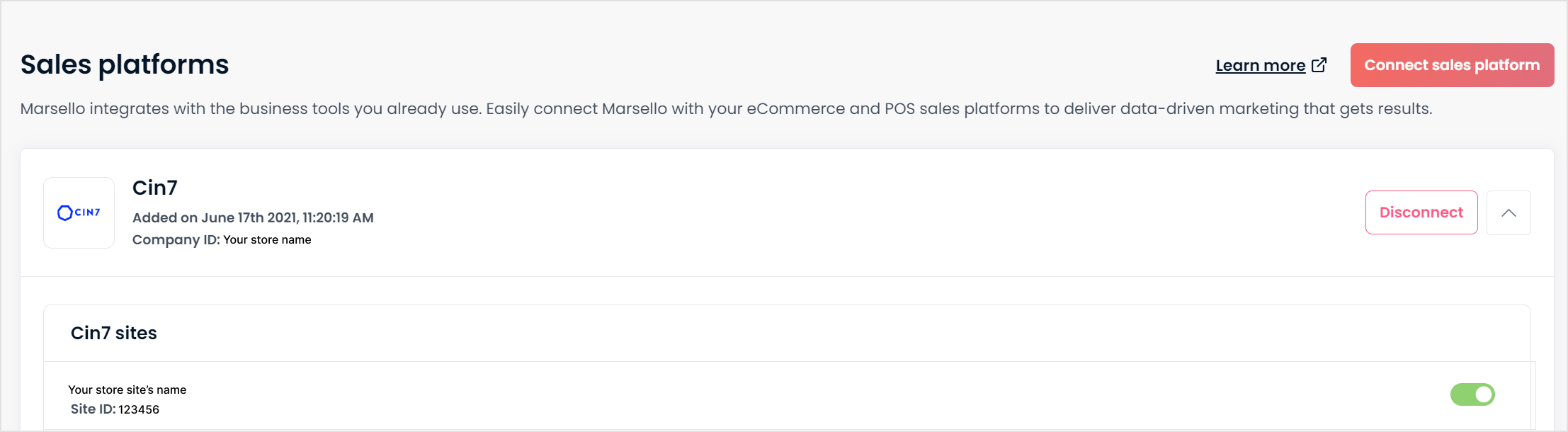
1. In your Marsello admin, go to Settings > Connections> Sales platforms
2. Review the sites connected to Marsello and for the ones you wish to enable in Marsello, toggle to turn the site ON.