
Learn why your popup form might appear too large or show a scrollbar, and how to quickly fix it.
September 15, 2025
🏷️ Signup forms are unlocked with the Marketing add-on.
For popup forms only
If you have saved and published your popup signup form and it appears too large on your eCommerce site, customers have to use a scrollbar to view the entire form. This guide shows you how to fix it by checking your image sizes, font size and container padding.
Before you get started
- Your popup signup form is saved and published on your eCommerce site.
- You can open your popup form in Marsello under Customer experience > Online > Signup forms.
- You have an incognito browser window ready to test your store site after each change.
- Check the Marsello App Status page to rule out an outage first.
Are the images in your popup signup form too wide?
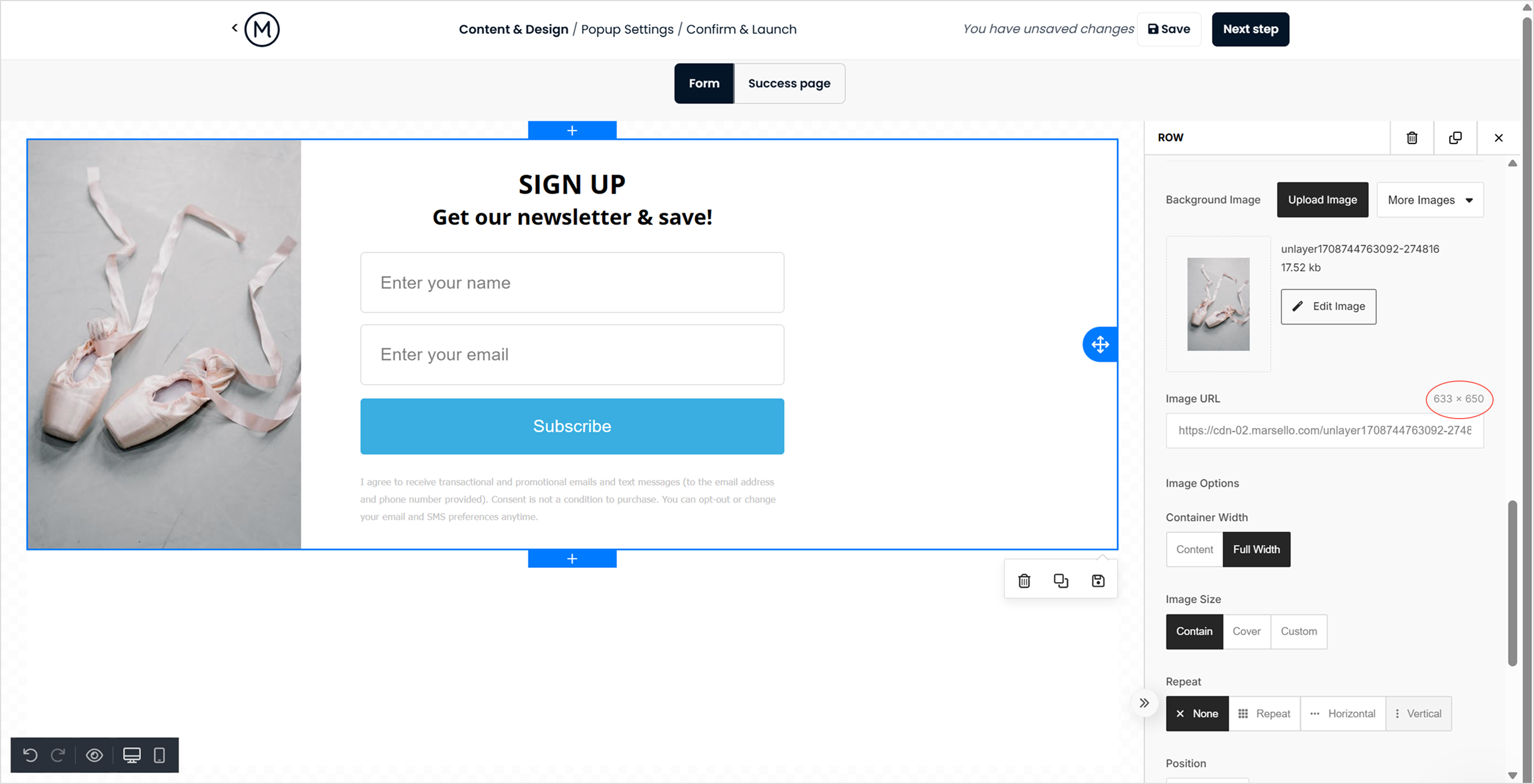
For popup signup forms, the size of your background image or any image blocks can increase the overall height of the popup. Make sure your background image is no wider than 500px, and other images in the form are no wider than 600px.
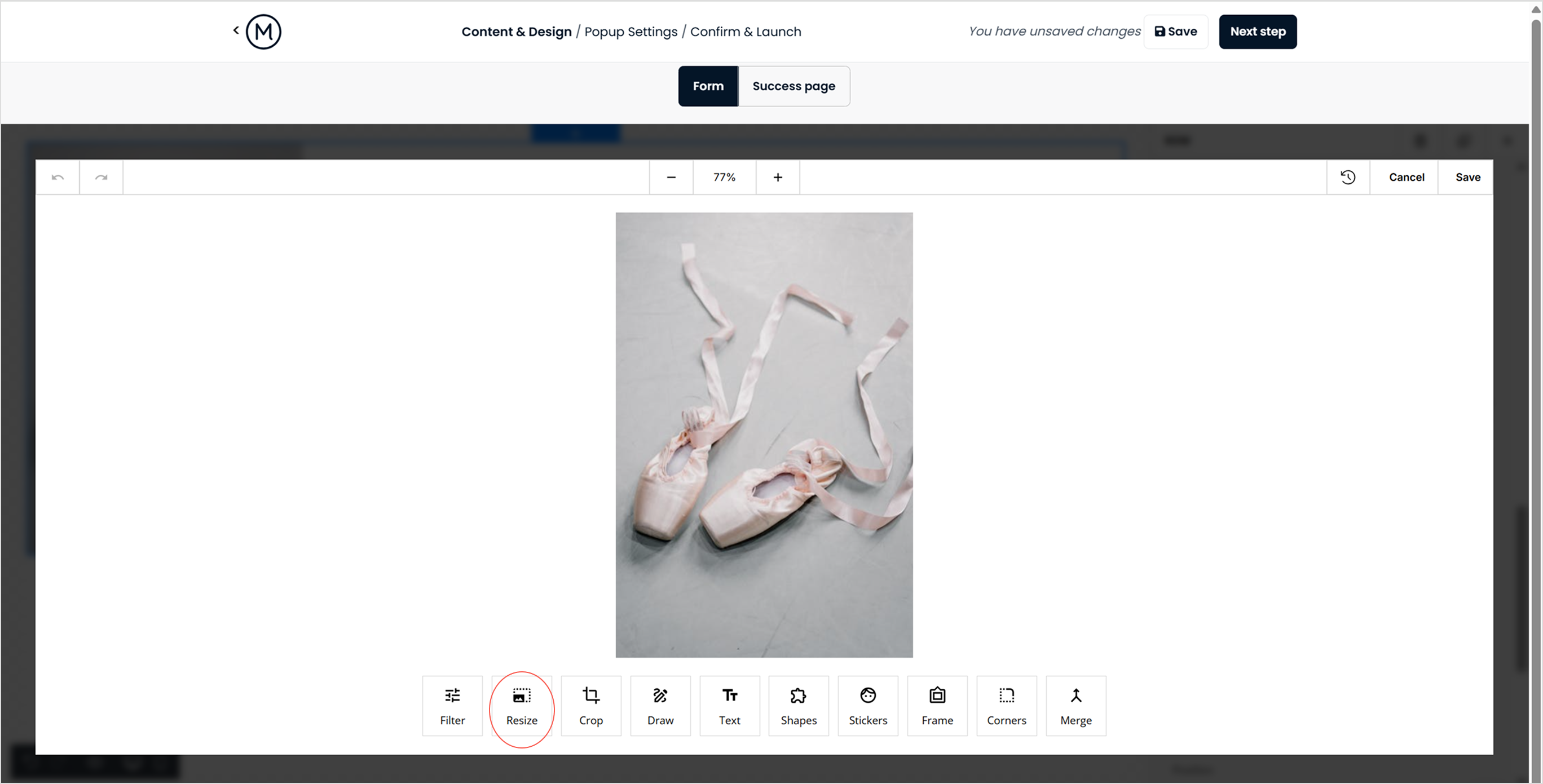
If your image blocks exceed these recommended sizes, you can resize them directly in the Marsello form editor.
How to check
-
Go to Customer experience > Online > Signup forms and select your popup form from the menu.
-
With the form open, double-click on the main container block to first confirm the size of your background image.
How to fix
-
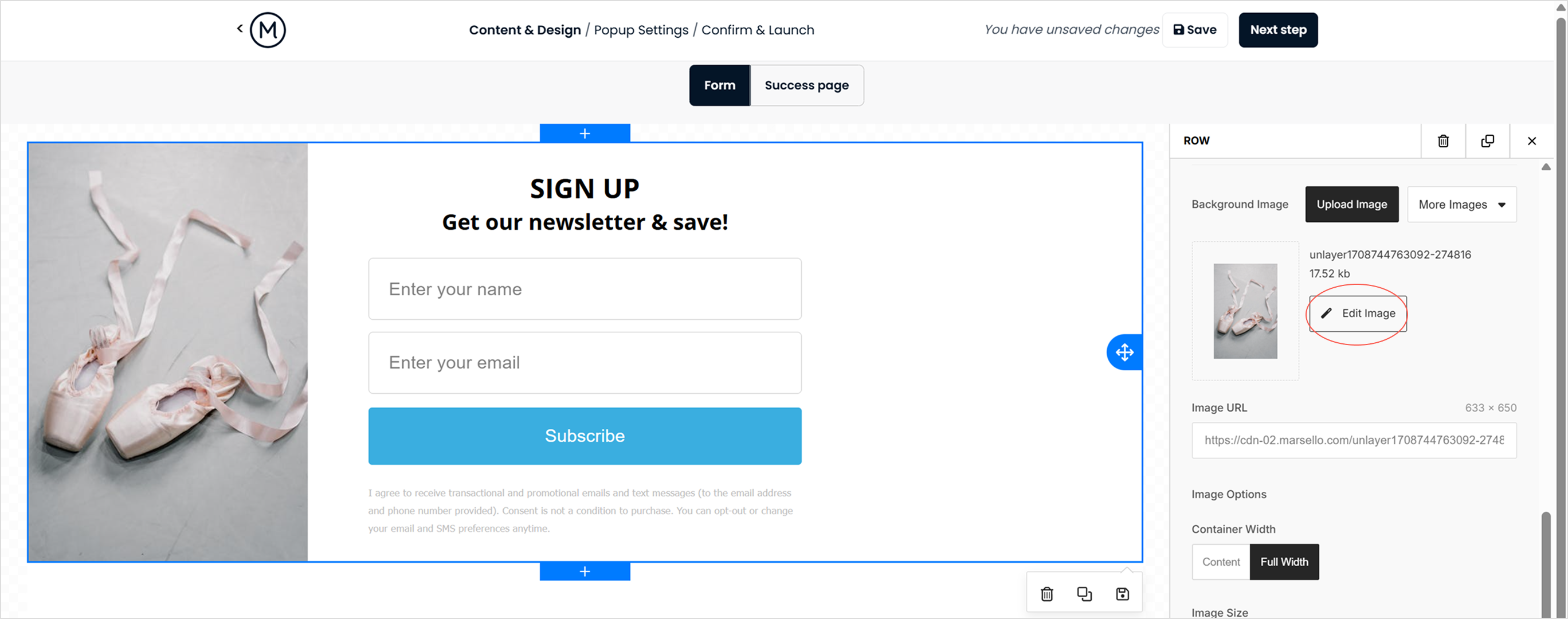
Click edit image.
-
Select resize, adjust the width of your background image and save.
-
Click Next step and reconfirm your pop-up settings.
-
Set your pop-up live.
-
Open an incognito browser and open your store site, test to see if this has removed the scroll bar.
If you still see the scrollbar and your popup signup form has other image blocks, click into each image block to confirm its width, then repeat steps 2 to 7.
Is the font size in your popup signup form too large?
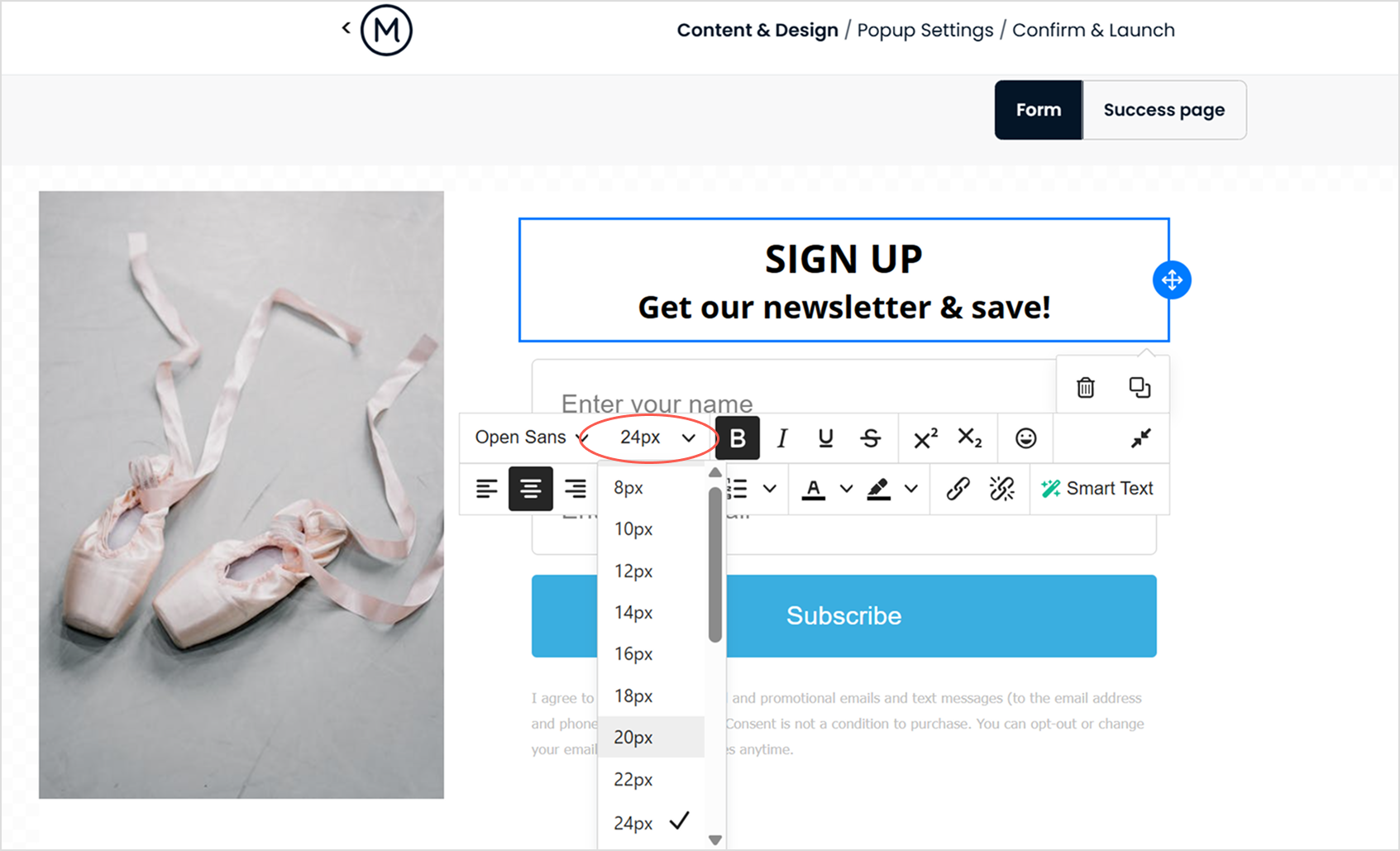
A common cause of scrollbars on pop-up forms is the font size, which can increase the form’s height. To remove the scrollbar and make the form smaller, try reducing the font size.
How to fix
1. Check font size in text blocks
-
With the form open, double click on any text block where the font size could be reduced.
-
This will open a secondary editor where you will be able to adjust your font size and style
2. Check font size for data collection fields:
-
With the form open, double click on the data collection field block where the font size could be reduced.
-
This will open a secondary editor where you will be able to adjust your font size and style under Content > Labels
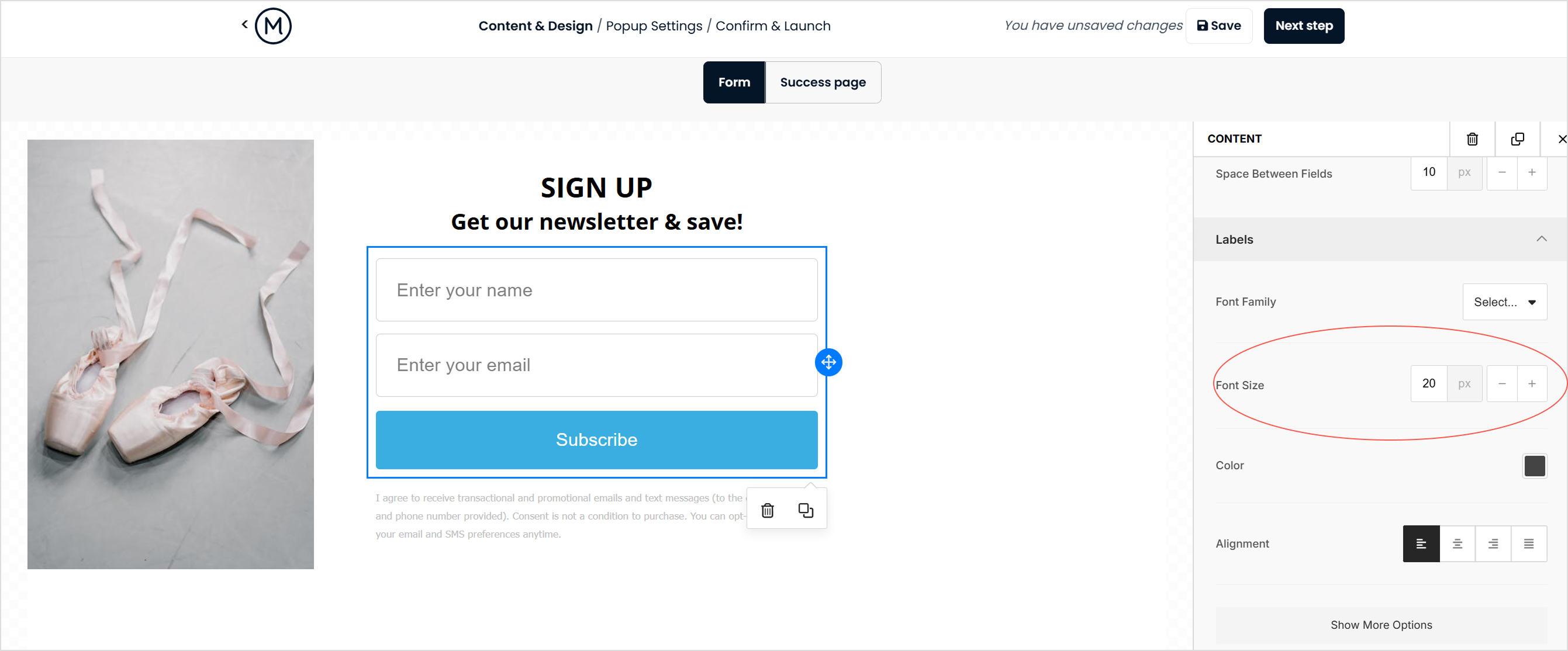
3. Click Next step and reconfirm your popup settings.
4. Set your popup live.
5. Open your store site in an incognito browser and check whether the scrollbar is gone.
You may need to repeat these steps if the scrollbar is still visible. However, be mindful to keep the font size legible for your customers.
Is there too much container padding in your popup signup form?
Reducing the padding around each content block can decrease the overall height and width of your popup form, which may eliminate the scrollbar.
How to check
-
With the form open, double-click on the main container block.
-
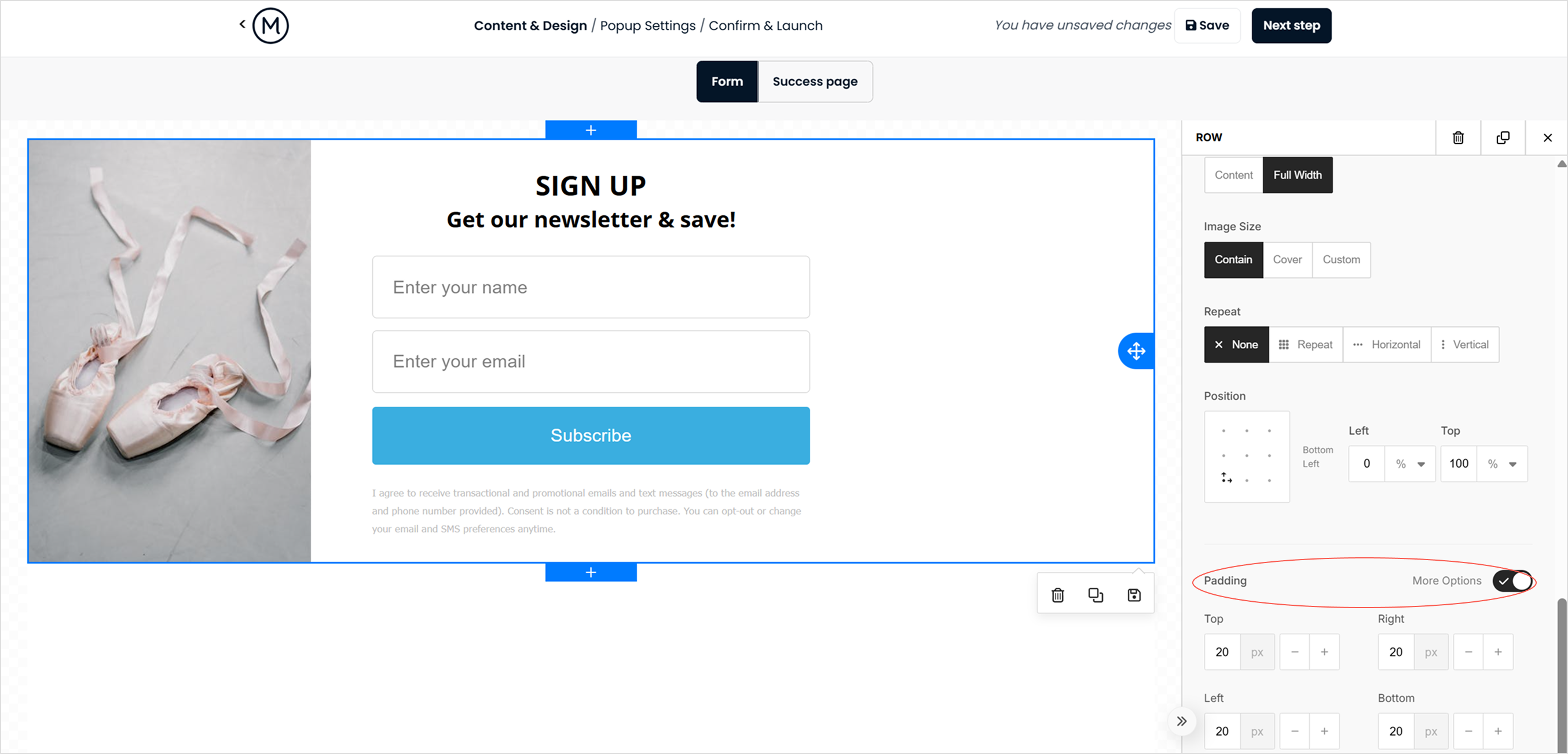
This will open a secondary editor where you can reduce the container padding for the form under Row properties > Container padding.
How to fix
-
By default, container padding is set to 20px. Reduce the container padding.
-
Click Next Step and review your popup settings.
-
Set your pop-up live.
-
Open your store site in an incognito browser to test whether the scrollbar has been removed.
If the scrollbar is still visible, you may need to repeat these steps or further adjust padding and font sizes.
Still not working?
If the scrollbar is still visible after you have checked your image sizes, font size and container padding, contact Marsello support. When you contact us, include:
- The image and padding sizes in your popup form.
- The image you are working with.