
If your Marsello custom segments aren't automatically syncing to your Facebook ads manager account, use these steps to find and fix the cause. This guide also covers the error message "An unexpected error occurred while trying to create the custom Facebook Audience".
⚠️ Important: Social features are now a legacy offering and are no longer available on new accounts. Accounts with existing access can continue using these features as normal.
Before you get started
- Check App Status to rule out an outage first.
-
Confirm you have the following enabled:
Meta / Facebook side
- An active Facebook account that manages your brand's Facebook Business Page
- A Facebook Ads Manager account connected to a Facebook Business Manager account
- Authority to approve all of the permissions Marsello requests during authentication.
- An ad account that can be selected in Marsello after authentication
Marsello side
- At least one custom segment. RFM segments won't sync, so they need to be recreated as custom segments.
- An audience of more than 100 customers who accept marketing for the hourly sync to run
Have you accepted Facebook's Custom Audience Terms of Service?
Facebook Custom Audiences needs you to accept Facebook's Custom Audience Terms of Service, because Facebook requires them for the sync. If you haven't accepted them yet, your custom segments won't sync. Log in to your Facebook account to view and accept the terms of service.
Have you accepted the Facebook Custom Audience Terms for every audience and account?
Ensure that you have accepted the Terms of Service for each audience in each of your accounts.
How do you accept the Facebook Custom Audience Terms on a personal Facebook ad account?
If you use a personal Facebook ad account, go to the Facebook Custom Audiences Terms page.
-
Click the Account dropdown in the top left.
-
Select your ad account.
-
Click Accept.
We also recommend accepting the following terms with Facebook in addition to the Custom Audiences Terms:
How do you accept the Facebook Custom Audience Terms on a Business Manager Facebook account?
-
Merchants using a Business Manager Facebook Account will need to click here to navigate to the Business Manager Facebook Custom Audiences Terms of Service page to accept Terms of Service. Merchants may also create a Custom Audience from within the Facebook Business Manager's interface, which will prompt you to accept Custom Audience Terms
Are you seeing the error "An unexpected error occurred while trying to create the custom Facebook Audience"?
This error may appear when you try to create a Facebook Custom Audience from your Marsello account. To fix it, we recommend you disconnect and reconnect your Facebook Custom Audiences integration.
How to fix
1. In your Marsello admin, go to Settings > Integrations > Extensions
2. Next to Facebook Custom Audiences click the Disconnect button
3. Now select the Connect button next to your Facebook Custom Audiences integration to reconnect.
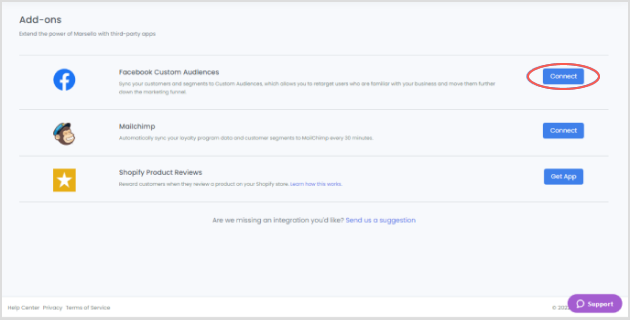
4. Click Authenticate to start linking your Marsello & Facebook accounts.
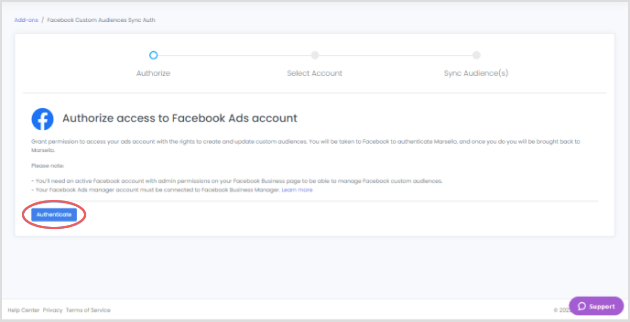
5. This will direct you to Facebook's permissions process to link your account.
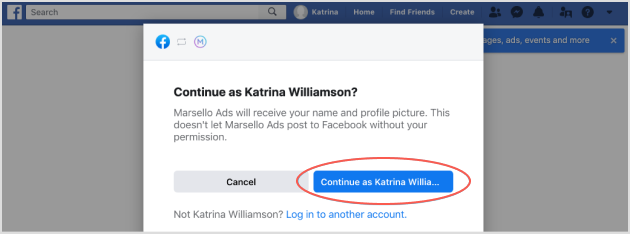
6. Complete the required Facebook permissions. You will be asked to provide Marsello with your name and profile picture. Click Continue as (your profile name).
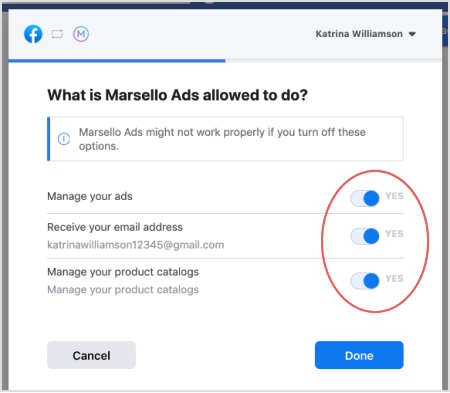
7. You will be asked to approve Marsello to update the following options. Please make sure all options are enabled and click Done.
8. Facebook will confirm that your Marsello & Facebook accounts are linked. Click OK to continue.
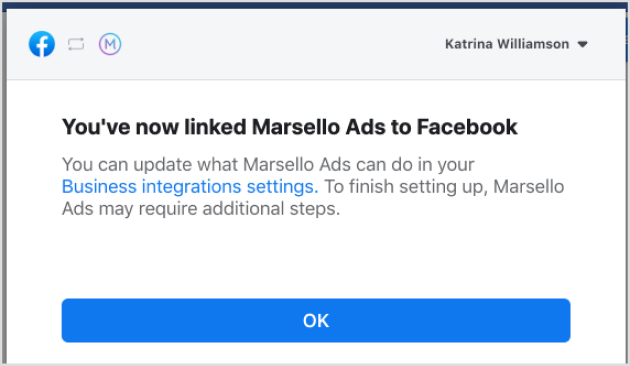
9. This will redirect you back to your Marsello admin.
10. Select your Facebook Ad account in Marsello
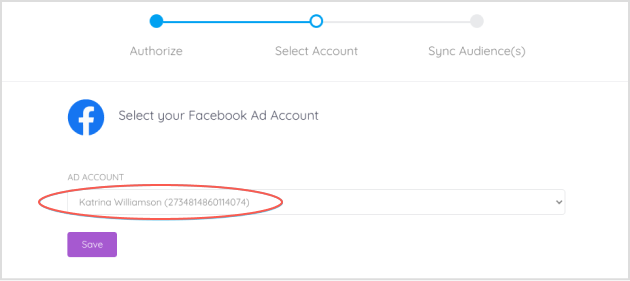
If you are still experiencing the same issue, then it can indicate that:
-
Your Facebook Ad account has been flagged by Facebook.
-
You do not have "Audience Optimization for Posts" enabled. Click here for more information.
-
You have not yet accepted Facebook Custom Audience Terms. Click here for more information.
Each of these items will need to be verified within your account and/or with Facebook.
Still not working?
Once you have accepted Facebook's Custom Audience Terms of Service, contact the Marsello Customer Support team to let them know. With that confirmation, the team can push your contacts into Facebook Custom Audiences so you can continue with your marketing.
If you have verified your Facebook ad account settings and the issue still persists, submit a ticket to our support team.
When you contact support, include a short explanation of what is happening and screenshots of any errors you received.
To get in touch, see How to contact Marsello support.