-1.svg)
Track the performance of your SMS campaigns
🏷️ SMS features vary by Marsello plan
- Loyalty Launch + SMS add-on: Unlocks loyalty automations via SMS and SMS campaigns
- Loyalty Accelerate + SMS add-on: Unlocks advanced automations via SMS and SMS campaigns
How do I view my sent campaign's performance?
1. In your Marsello admin, click on Marketing > Campaigns > SMS.
2. Click on the campaign name of the sent campaign you wish to review the performance of.
3. This will open that campaign's performance statistics.
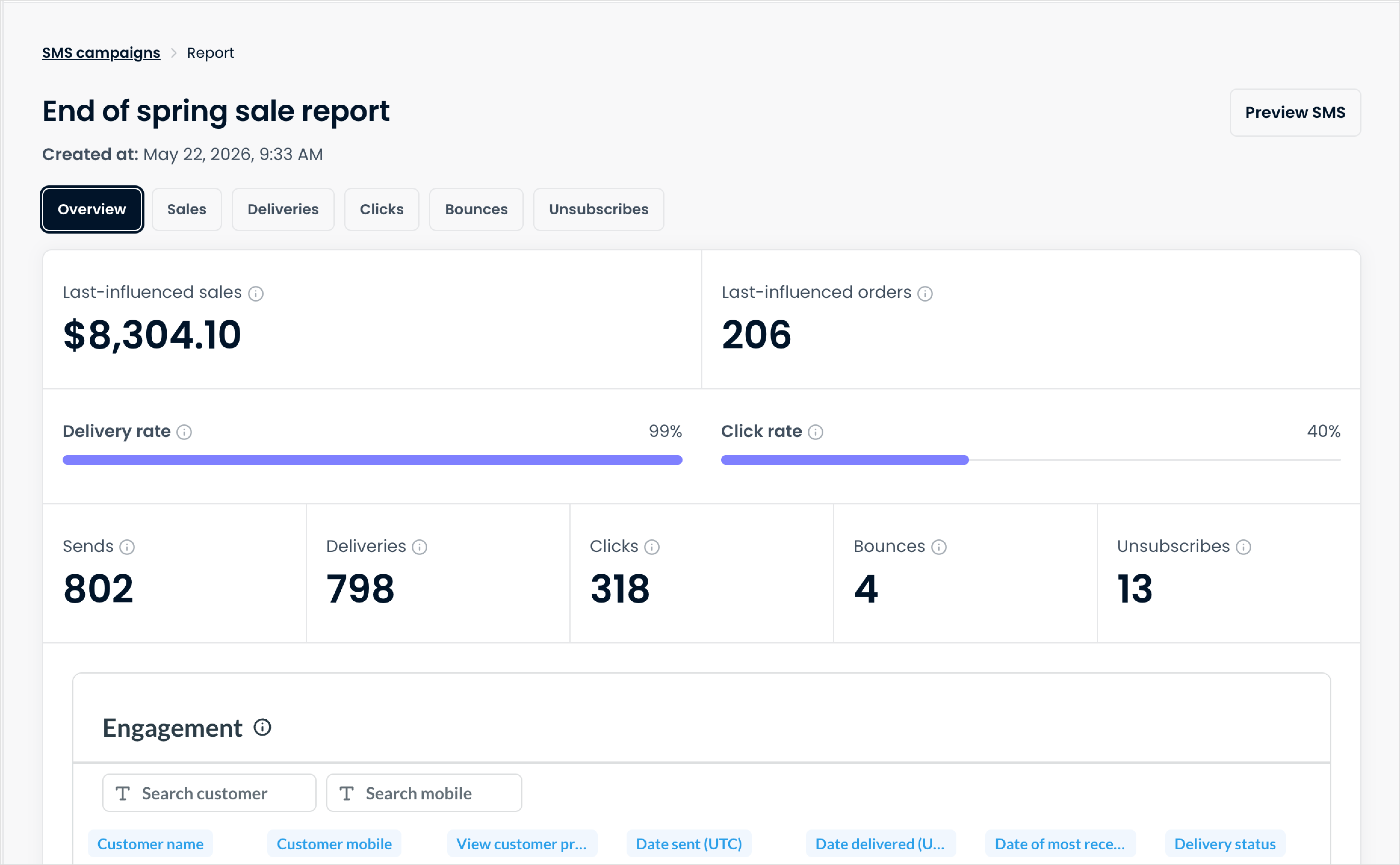
The campaign's report will allow you to see:
- Sends: The total number of SMS sent for this campaign, including messages that later bounced.
- Clicks: The total number of link clicks in the SMS, including the same customer clicking more than once.
- Last-influenced sales (previously Revenue generated): Total sales where this campaign was the last marketing touchpoint the customer received or clicked within 10 days before making a purchase.
- Last-influenced orders (previously Orders): The number of orders placed where this campaign was the last marketing touchpoint the customer received or clicked within 10 days before making a purchase.
- Click rate: The percentage of delivered SMS that then had a link clicked. Click rate = (unique clicks ÷ deliveries) × 100. Repeat clicks by the same customer are not counted.
- Deliveries(previously Successful deliveries): The number of SMS messages that reached your customers' inboxes. Deliveries = sent SMS – bounced SMS.
- Delivery rate: The percentage of SMS that reached inboxes. Delivery rate = deliveries ÷ sends.
- Bounces (previously Bounced / Not Delivered): The number of SMS not delivered due to an invalid or disconnected number, an unreachable device, or being blocked by the recipient’s carrier.
- Unsubscribes (previously Unsubscribed): The number of people who opted out of your SMS after receiving this campaign.
-
Activity by customer.
📝 Note: SMS campaign analytics calculates 'unique' by day, where a customer is counted once per day they open or click. Individual SMS reporting calculates 'unique' across the whole campaign, where only one open or click is counted per customer.
How do I export performance data for all my SMS campaigns?
1. In your Marsello admin, click on Marketing > Campaigns > SMS.
2. Click Export. When the CSV file is ready, you'll get an email with a download link. Download links are available for 7 days.
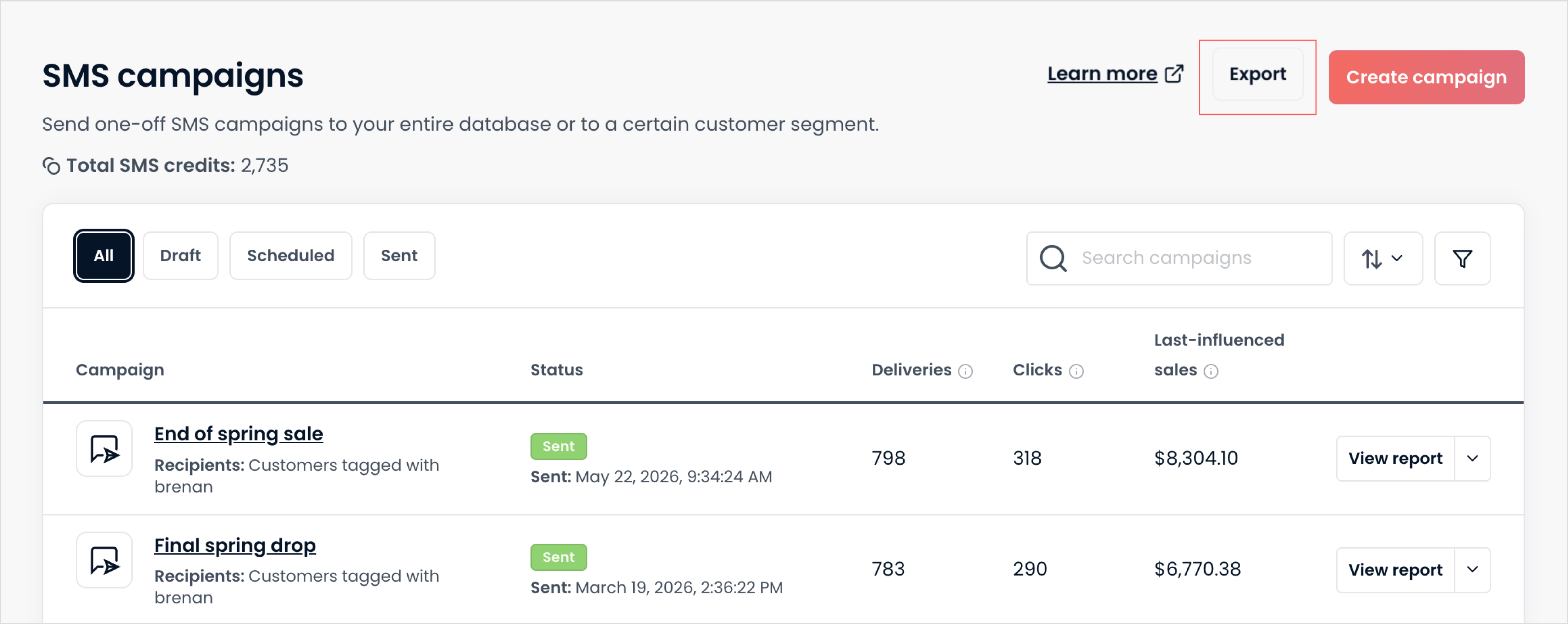
Your export includes all sent campaigns and their summarized metrics. This includes delivery, clicks, and last-influenced sales.
💡 Tip: Your exported data can be filtered, sorted, or grouped by scheduled date so you can see performance for a specific time period.