
Create a fixed value ($-off) storewide loyalty reward to give store credit that customers can use on any purchase at your store. Customers spend their loyalty points to redeem the reward.
A fixed value ($-off) loyalty reward is a discount of a set amount off the customer's entire order.
🏷️ Storewide loyalty rewards are available on all Marsello pricing plans.
Let customers earn store credit they can spend on anything, giving them freedom to choose their rewards.
In your Marsello app admin, go to Loyalty > Points program > Redeeming and click Add Reward.

In the popup form that opens, complete the following details for your $-off reward:
-
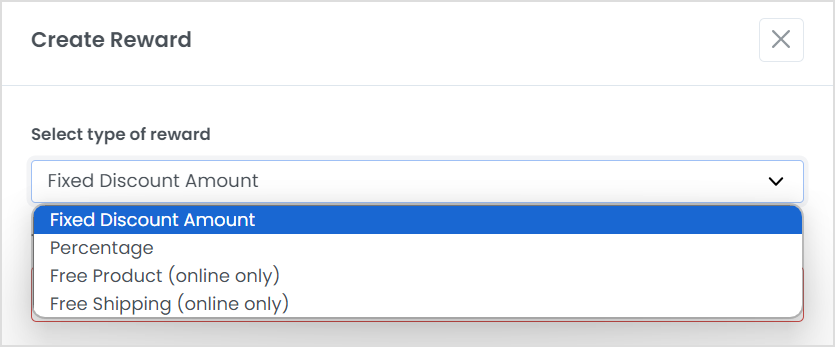
Coupon type: click Fixed discount amount in the drop-down
-
Reward title: enter a title that tells your members what the reward is.

-
Points cost: set the number of points a member needs to spend to redeem your reward

-
Discount amount: enter the discount amount for the reward. Make sure it matches the discount in the reward title.

💡 Tip: When you choose the points cost for a $-off reward, we recommend the '10% of dollar spend' rule. This means the reward discount amount is 10% of the spend required to earn that number of points.
Under the Advanced options menu, scroll down to Expiry, tiers, and terms.
In the text box under Terms, add any terms you want your customers to follow when they use this $-off reward.
Click Create.
-
📖 Learn more: Examples of terms to include with your loyalty rewards

Your new $-off reward now shows on the Rewards page of your loyalty program, and your customers can spend points to redeem it.

What are some tips for success with loyalty rewards?
-
Get creative with your reward titles. Add variety and personality to your reward titles to create customer interest in redeeming rewards.
-
Create three or more rewards to encourage customers to earn more and more points to spend. A rewards ladder gives your customers more flexibility to choose rewards they would like to earn points towards and encourages them to spend more in order to achieve higher point-cost rewards.
-
In-store – Make sure your staff knows what your loyalty rewards are so they can inform customers at checkout. This will encourage your existing customers to be active with the loyalty program, and new customers to join.
-
Find out what rewards your customers like - try creating rewards with different discount types and amounts and measure their success.
-
It’s important to be sure you also include the relevant terms and conditions for rewards. Whether it's to encourage fair use or to protect your store, outlining exactly how and when your rewards can be redeemed ensures that your rewards are used as you intend them to be used.
