-1.svg)
🏷️ SMS features vary by Marsello plan
- Loyalty Launch + SMS add-on: Unlocks loyalty automations via SMS and SMS campaigns
- Loyalty Accelerate + SMS add-on: Unlocks advanced automations via SMS and SMS campaigns
Please note that the SMS feature is billed separately from Marsello
 Important: If you're using Lightspeed Loyalty & Marketing for X-Series, your SMS billing is managed through your Lightspeed subscription. The billing information below is intended for other Marsello subscriptions. If you have any billing questions, the Lightspeed team will be best placed to help.
Before you get started
Credit expiry applies to credits purchased on or after May 1st, 2026. Any credits purchased prior to May 1st will remain available until 31 October 2026, giving you an extended period to use your existing balance.
- SMS credits are valid for 3 months from the date they’re added to your account.
- Each set of credits has its own 3-month expiry date. Buying new credits or upgrading your plan does not extend the expiry of credits already in your account.
- Marsello uses your oldest credits first when you send a campaign. This means credits closest to expiry are used before newer ones.
- Expired credits cannot be refunded or restored.
How does SMS credit expiry work?
SMS credits are valid for 3 months from the date they’re added to your account.
Each set of credits expires on its own date. If credits are added on different dates, each set will have its own expiry date.
Example
|
Date credits added |
Number of credits |
Expiry date |
|
15 January |
2,100 |
15 April |
|
15 February |
2,100 |
15 May |
|
15 March |
5,100 |
15 June |
When you send an SMS campaign, Marsello uses your oldest credits first. This helps you use your credits before they expire.
How do I check my SMS credit balance and credits expiring soon?
You can check your credit balance and credits expiring soon in the Marsello Admin.
From the billing page
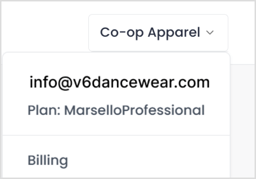
1. In the upper right-hand corner of your Marsello app admin, select the drop-down menu to the right of your business name and select billing.



3. Review your SMS usage.

-
Credits available: The total number of credits you have left to use. This includes any credits that will expire in the next 30 days.
- Credits used: The total number of credits used this billing period.
- Hover over credits used to see average usage per month. Average usage is calculated from the number of credits you've used each month for the past 6 calendar months.
- Credits expiring soon: The number of credits that will expire within the next 30 days.
📝 Note: SMS credits expiring soon is only visible if you have credits expiring within the next 30 days.
4. Next to credits expiring, click the drop-down arrow for a breakdown of when each set of credits expires. Credits expire at midnight UTC
What happens when my SMS credits expire?
When credits reach their expiry date, they are removed from your balance at midnight UTC.
⚠️ Important
- Expired credits cannot be restored or refunded.
- Expired credits do not roll over to the next billing cycle.
- If you have a scheduled campaign set to send after credits expire, those credits will not be available for that send. The campaign will use credits available at the time of campaign delivery.
If you think your SMS credits expired by mistake, contact our support team.
How can I avoid losing SMS credits?
Follow these tips to make the most of your SMS credits.
- Pick a plan that matches how often you send. Best practice is to send 2–4 SMS campaigns per month. Choose a plan that fits your campaign and automation sending pattern so you don't end up with unused credits.
- Check your balance often. Open the SMS add-on tab to see credits expiring soon.
- Plan campaigns before credits expire. If credits are close to expiring, use the opportunity to promote current sales or offers, and send a campaign before the expiry date.