-1.svg)
Before you get started
- You can export redemption data for each reward.
- When the CSV file is ready, you'll get an email with a download link. Download links are available for 7 days.
How do I export my redemption data?
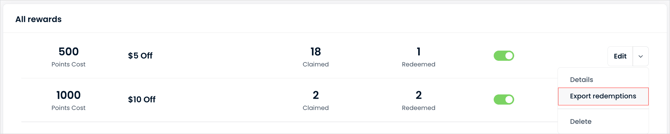
Export from the rewards ladder.
1. In your Marsello admin, go to Points program > Redeeming.
2. Next to the reward, click the dropdown and select Export redemptions.
Export from the reward details page.
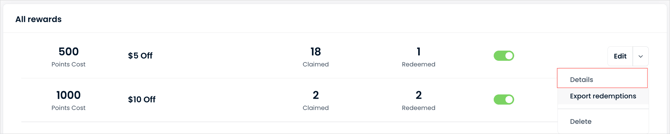
1. In your Marsello Admin, go to Points program > Redeeming.
2. Next to the reward, click the dropdown and select Details.
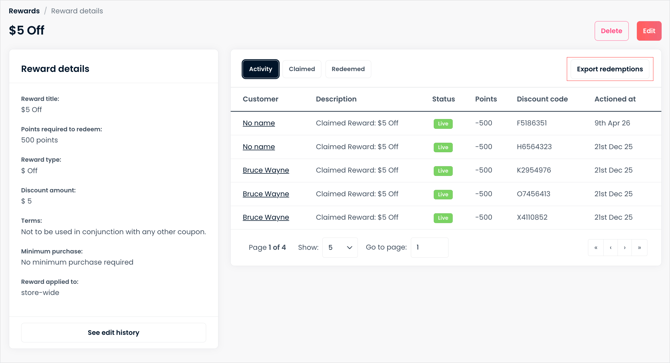
Your export includes the customer, reward title, points, discount code, and the date each reward was redeemed.
💡 Tip: Your exported data can be filtered, sorted, or grouped by Redeemed At date so you can see redemptions for a specific time period.
