-1.svg)
How do I set up a points campaign in Shopify Marketing?
You can now create and edit points campaigns in Marsello directly from your Shopify admin — fast and easy loyalty management!
November 28, 2025
Applies to: Shopify Extras
This guide is specific to the Shopify integration.
🏷️ Points campaigns are unlocked on the Loyalty Accelerate plan.
How do I use Shopify Marketing to create a Marsello points campaign?
1. To begin, navigate to your Shopify admin page. From here go to Marketing > Campaign and scroll to the marketing apps subheading. Select the 'Create campaign' button in the top right.

2. This will open a pop-up titled 'Build your campaign by adding a marketing activity. Select the tab titled 'Other'. The Marsello logo will be visible next to the heading 'Points Campaign'.
3. Selecting this will then lead to a draft campaigns page from within Shopify. This page will allow you to customize your campaign name - i.e. '4x Points Period' and adjust the points multiplier for how your customers will earn points. - ie. 4 x
💡 Quick Tip: There is also the ability to add advanced options (i.e. including a minimum spend of $200)
4. You can then click schedule on the bottom right and this will open up a pop-up window where you can choose these settings. Select the schedule button when the time has been selected.
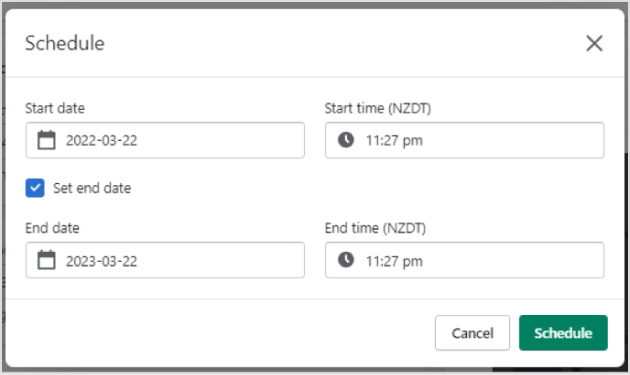
5. Once the campaign has been scheduled you will be redirected to the campaigns page within Shopify.
📝 Note: The campaign says sending - as the campaign is live for the duration of that period allowing customers to earn that points value.
6. Return to your Marsello account and refresh the campaigns list - the points campaign has now populated within Marsello.
💡 Quick Tip: Please note that any edits to the points campaign will need to be created from within the Shopify campaign screen. Click the three-dot icon next to the campaign title to choose from a range of actions - pause campaign, delete, etc.
Brands also searched for: crea, camkp, pount, popints