
Create a percentage (%) off spend threshold reward so customers can redeem their points for store credit and choose what they spend it on at your store. The reward only applies when the order meets the minimum spend you set. Percentage off spend threshold rewards are available on the Loyalty Accelerate plan.
✨ Percentage (%) off loyalty reward - A percentage (%) off discount that is a set amount off the customer's entire order.
🏷️ Percentage (%) off (spend threshold) rewards are unlocked on the Loyalty Accelerate plan.
Before you get started
On the Loyalty Accelerate plan, these integrations support percentage (%) off rewards:
⚠️ Important:
-
We recommend offering % off spend threshold rewards online only. If you also make the reward available in-store, your staff need strict training to check that each sale is over the spend threshold.
-
For Shopify stores, a % off reward can have either a spend threshold or apply to a specific product or collection, but not both. If you add a product or collection to the "Apply to..." fields, you can no longer add a spend threshold.
-
In your Marsello admin, go to Loyalty > Points program > Redeeming and click Add Reward.

-
In the pop-up form that opens, complete these reward details:
-
Select type of reward: Click Percentage in the drop-down menu

-
Reward Title: Give your reward a title that lets your customers know which specific product is discounted
-
Points required to redeem: Set the number of points a customer needs to spend to redeem your reward

-
Discount amount: Enter the % discount amount

-
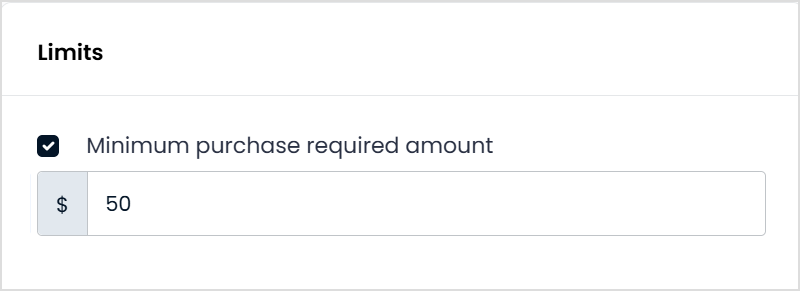
Under Advanced options > Limits, select the Minimum purchase required amount checkbox to add a minimum spend rule to your reward. For Shopify stores, you can't add a spend threshold if you've added a product or collection to the "Apply to..." fields.
-
(Optional) Under Advanced options > Expiry, tiers and terms, edit the reward's expiration date and add any terms you'd like your customers to follow when they use the reward.

-
Click Create.
Your new % off spend threshold reward now shows on the Rewards page of your loyalty widget and is ready for your customers to redeem.
💡 Tip: Make sure your reward title clearly states the value of the spend threshold so customers know what the reward requires, for example $50 off orders over $150. It's also a good idea to repeat the spend threshold in your reward's terms.
Your customers' experience
On the Loyalty Accelerate plan, customers redeem a % off spend threshold reward online by entering their discount code at checkout as they normally would. If their order subtotal does not meet the spend threshold, they see the message "discount code isn’t valid for the items in your cart" and can't apply the discount until they increase their subtotal.

📝 Note: It's important that the title and the terms of your reward make it clear what the minimum spend is so that your customers understand how to redeem it.