Give customers points for creating a loyalty account to boost sign-ups and start building engagement with new customers.
🏷️Available on all Marsello pricing plans.
How do I set points for the ‘Complete their profile’ reward?
-
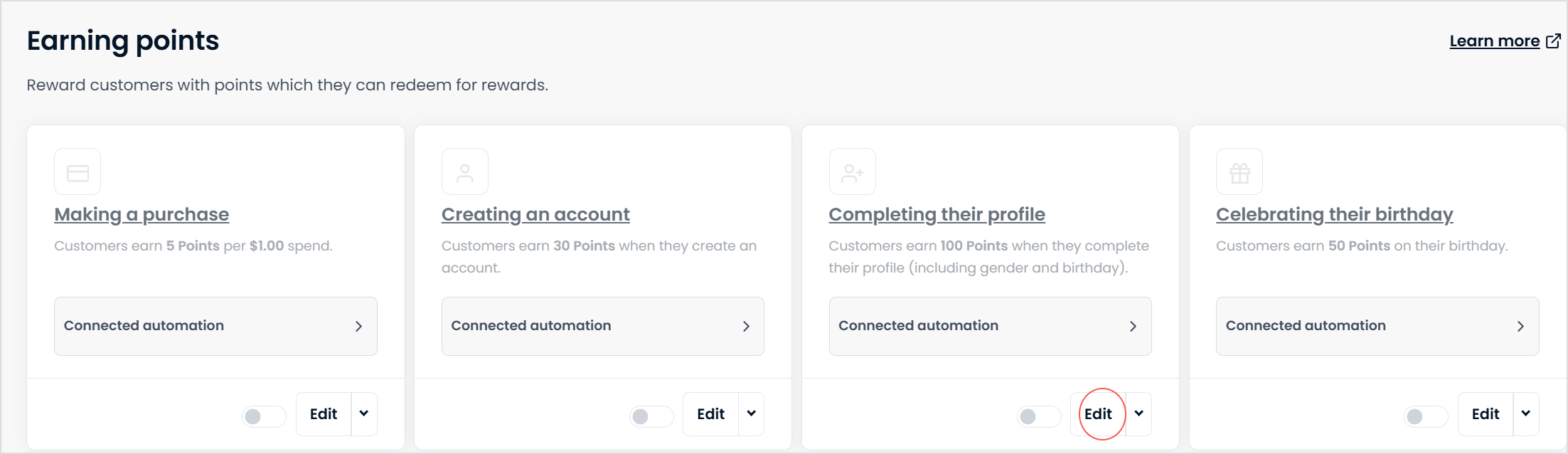
In your Marsello admin, go to Loyalty > Points Program > Earning > Completing their profile and click edit.
-
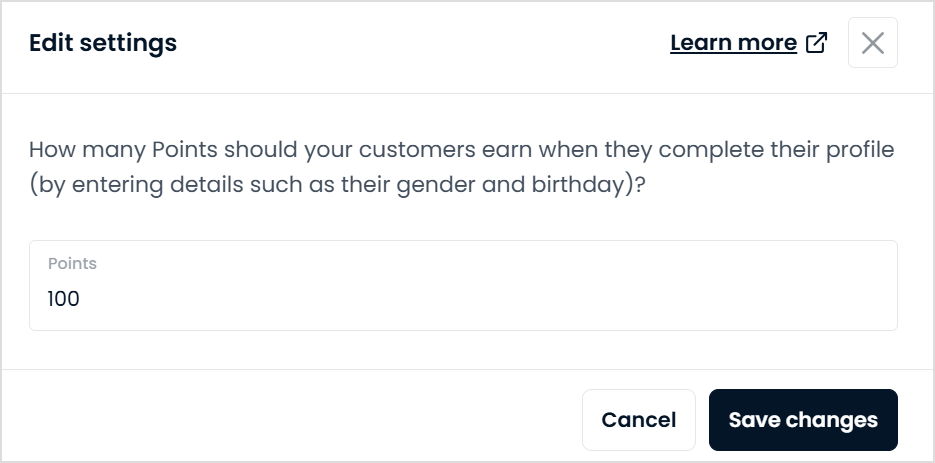
Under How many points should your customers earn when they complete their profile (by entering details such as their gender and birthday)?, enter the number of loyalty points you want to give members for entering their information.
-
Click Save changes.
-
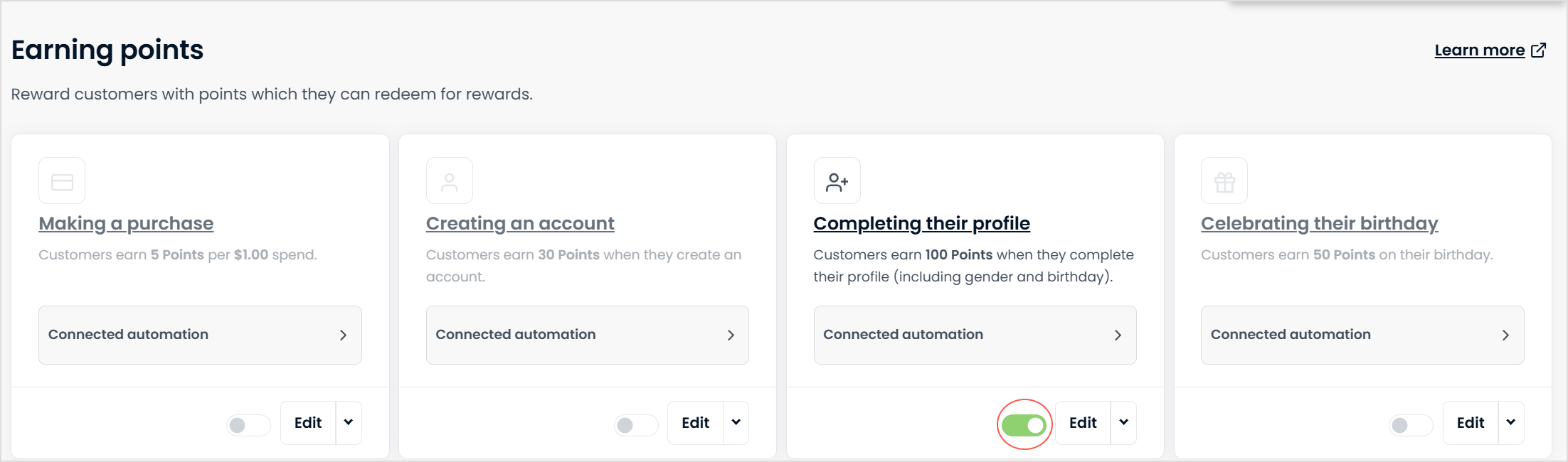
Back in the main earning points menu, toggle the ON/OFF button for the making a purchase earn option to ON.
Your customers' experience
When your customers log in to their account and visit the Earn tab of your loyalty widget, they will see your 'Complete profile' reward.
Customers can click the 'Complete profile' reward to add their additional details. They're asked to update their birthdate, gender and mobile number.

📝 Note:
-
Customers must complete all fields to receive the Complete profile reward points. Once a customer completes the form and clicks save, the points are added to their account.
-
If your Points Earned automation is turned on, your customer is automatically notified by email. The Points Earned email tells them how many loyalty points they earned, their new loyalty points balance and how many points away they are from their next reward.
How do I track the performance of the ‘Complete their profile’ reward?
You can track the progress of the ‘Complete their profile’ reward once you've set up how many points your members earn for completing their profile. Here's how:
-
In your Marsello admin, go to Loyalty > Points Promotion > Earning > Completing their profile and click the drop-down menu to View reporting.
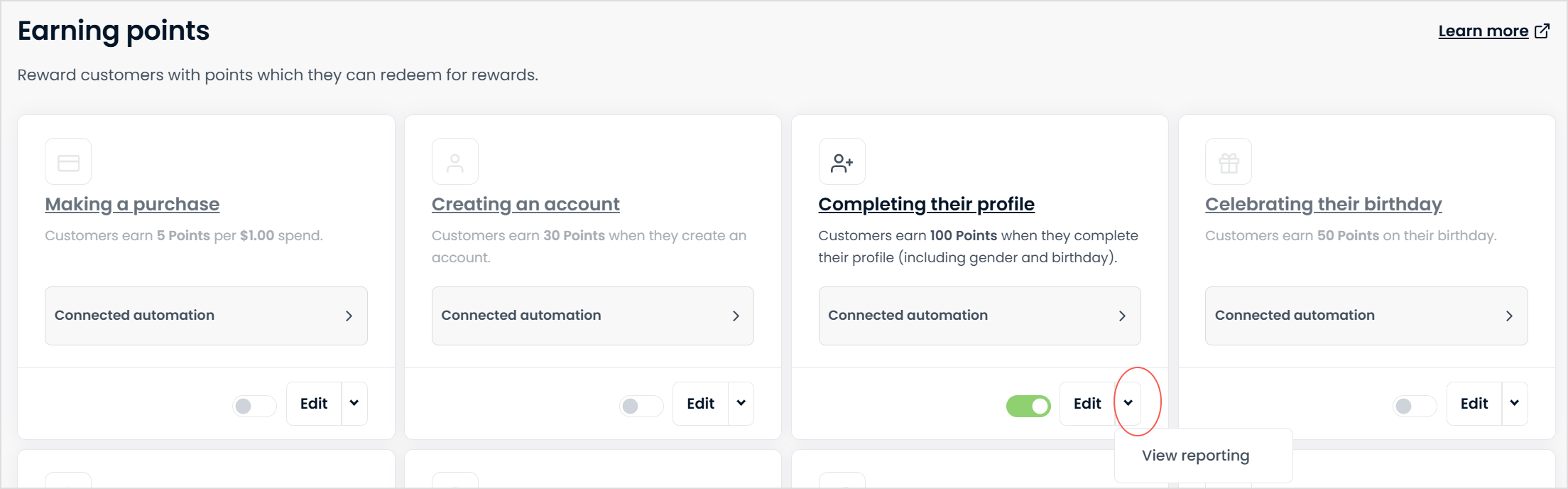
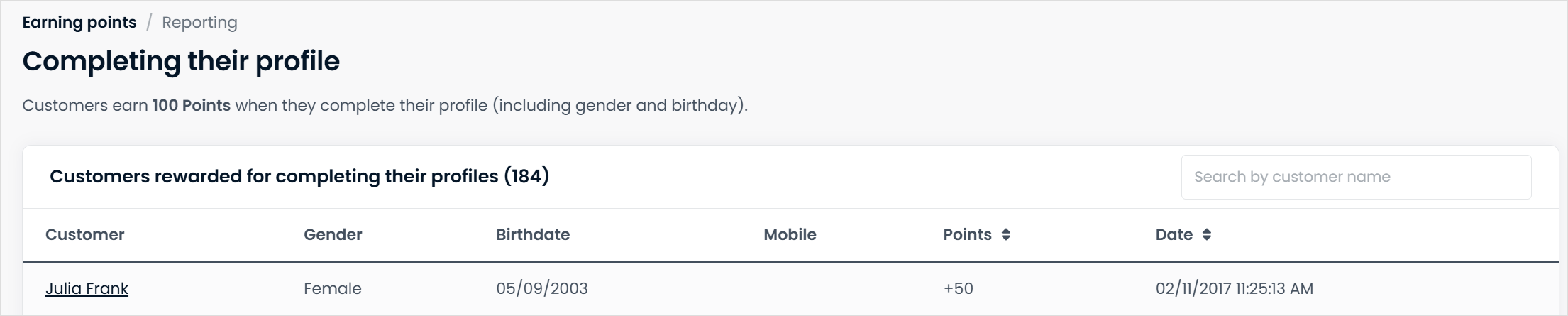
The insight page for the ‘Complete their profile’ reward opens. On the insight page, you can see:
-
Members who completed this action
-
Their gender
-
Their birthdate
-
Their mobile number
-
The number of points they've earned
-
The date they completed the action