-1.svg)
How are loyalty points automatically awarded in Lightspeed Retail (R-Series) POS?
Set when loyalty points are added in Lightspeed Retail (R-Series) based on an order’s payment status.
March 24, 2026
Applies to: Lightspeed Retail (R-Series) POS
This guide is specific to the Lightspeed Retail (R-Series) POS integration.
Before you get started
Here are a few key details to note about awarding loyalty points for orders with Lightspeed Retail (R-Series) POS:
-
When a customer makes a purchase, the order is automatically synced to your Marsello account.
-
Customers will earn loyalty points if “Making a Purchase” is enabled in your points settings.
-
By default, customers earn points if payment status is Completed
-
-
You can customise when points are awarded or removed under: Settings > Loyalty > Points Program
⚠️ Important: These settings apply to Lightspeed Retail (R-Series) across both iOS and desktop.
How do I choose when customers earn points for purchases?
1. In your Marsello admin, go to Settings > Loyalty > Points program
2. Under Lightspeed Retail (R-Series) POS > Order Rewarding, click:
“Award points when payment status is one of”
3. From the drop-down, click to add or remove your preferred Payment Status options
-
You can customise this based on your business needs. Customers will only be rewarded once per order.

4. Click Save
How to check the order's payment status in Lightspeed Retail R-Series
1. In your Lightspeed Retail R-Series admin, go to Sales
2. Under Recent Activity, click Sales History
3. Search for the order using:
-
Customer name
-
Order number
-
Status
4. Open the order and check the Payment Status.Compare this with your Marsello settings to confirm whether points should be earned or removed.

Your customers' experience
Earning points
-
When a customer makes a purchase, their order and payment status sync to Marsello automatically.
-
If the payment status matches your Order Rewarding settings, points are awarded automatically.
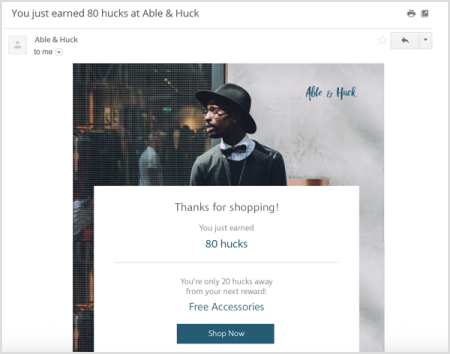
📧 If Earned Points Email notifications are enabled, customers will receive an email showing how many points they earned.
Brands also searched for: reomving, refu