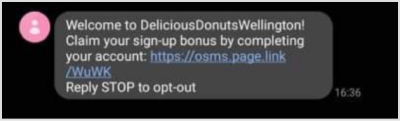
For Lightspeed Restaurant (O-Series) brands, the complete account request SMS automation sends new customers a text message asking them to complete their profile when they sign up at your POS. You can turn the automation on or off, edit the SMS and its trigger settings, and enable it from your Marsello dashboard.
September 19, 2025
For Lightspeed Restaurant O-Series brands
How do I edit the complete account request SMS automation?
-
For Lightspeed Restaurant (O-Series) brands, in your Marsello dashboard, go to Loyalty > In-store portal. This opens the In-store Customer Portal: Settings page.
-
At the top of the page, find the Complete account request SMS bar. Use the toggle on the right to turn the complete account request SMS automation on or off.

-
Click Edit. The automation preview page opens, showing revenue, customer flow stats (customers who are still in the flow and customers who have exited the flow) and each step of the automation.

The default trigger for this flow is 'Targeting customers when they sign up'.
The first step in the flow is SMS, and the preview displays the SMS preview you will send to your customers when they sign up at POS.

-
To edit the automation, click edit automation. This will open the automated flow where you can view the individual messages in the flow.
📝 Note: If the automation is enabled, a pop-up will prompt you to disable it before editing. You can re-enable it after making changes.
-
To edit the trigger settings of the flow, click the settings icon. A pop-up window opens where you can update the custom trigger settings.

-
To edit your message, click on the pencil icon at the SMS message step.

-
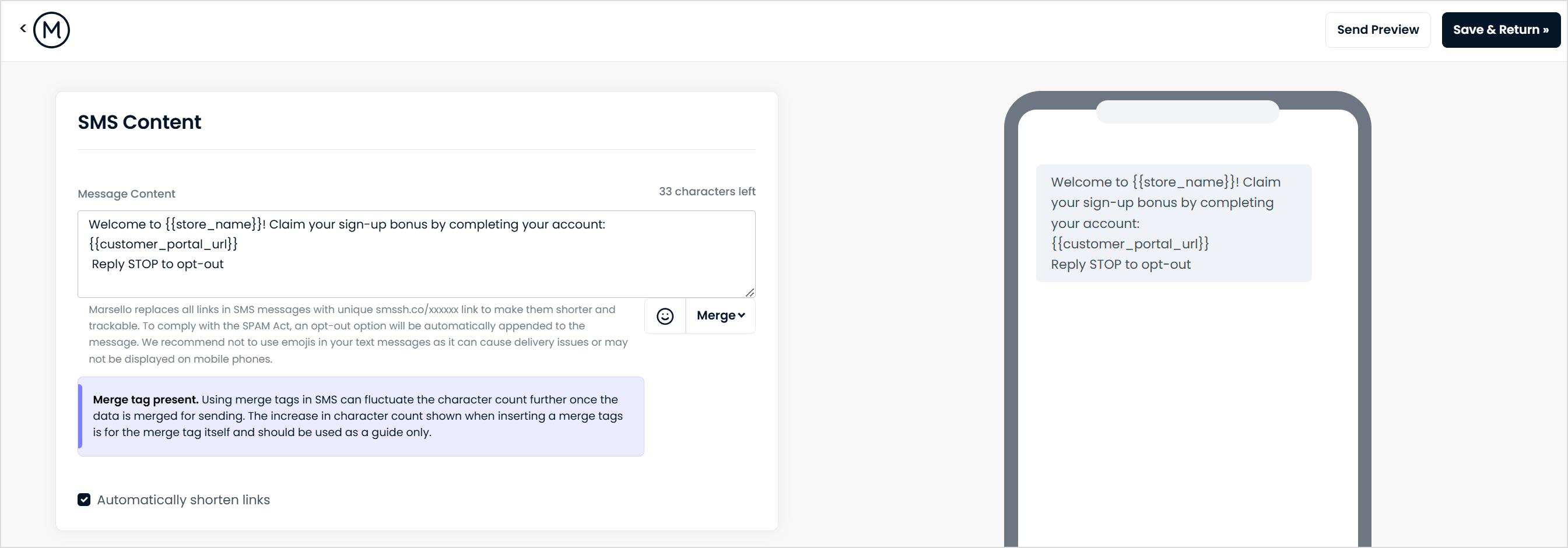
On the edit SMS content page, customize the SMS message in the message content box.
⚠️ Important: Be sure to include the merge tag ## so customers are directed to the portal.
You can send a preview text to your mobile or save and return to the automation.
-
To add another step to your SMS Complete Profile automation, click the plus icon as below:

-
Once you have completed editing the automation, click "Enable Automation". A pop-up will appear which confirms the steps you have selected.
📝 Note: The pop-up shows a preview of the relevant SMS credits. If you don't have enough SMS credits, the complete profile SMS automation pauses. To update your SMS billing, open the SMS billing tab on this page of your Marsello account. For best practices for your complete profile SMS automation, see our article on SMS sending compliance.
A success message confirms that your SMS automation is enabled. Customers start entering the automation flow when they sign up at your POS. [CHECK: any delay before customers enter the flow]

Your customers' experience
For Lightspeed Restaurant (O-Series) brands, when a visitor registers at your POS, they receive the complete account request SMS on their mobile device, prompting them to complete their account.