-1.svg)
Add the Marsello loyalty widget to your WooCommerce store
Allow your customers to access their loyalty & marketing profile directly from your WooCommerce online store
June 30, 2025
Applies to: WooCommerce
This guide is specific to the WooCommerce integration.
Before you start
Here are some key details to note before adding the Marsello loyalty widget to your WooCommerce store.
- You will need to install the Marsello for WooCommerce plugin from your Marsello app admin. It adds the loyalty widget and signup forms to your online store.
- The plugin collects email and SMS marketing consent separately, with standard consent wording and disclosure text. You can edit the disclosure text and add your Privacy Policy and Terms & Conditions links in Settings › Compliance › Marketing compliance.
- Customers who check out as guests are added to Marsello with no marketing consent. They only receive marketing if they opt in themselves.
Update the Marsello for WooCommerce plugin
❓Already have the plugin installed? You need to update to the latest version of the Marsello for WooCommerce plugin to get the new consent wording and disclosure text.
⚠️ Important: Don’t delete the old plugin first. Replacing it keeps your settings and your connection to Marsello.
1. In your Marsello app admin, go to Settings > Integrations > Sales platforms.
2. Open the Marsello has been installed on your online store drop-down.
Installing the widget to your WooCommerce store
💡 Tip: Have your WooCommerce admin open in one tab and your Marsello app admin open in a second tab to allow you easy access to both to complete the steps below.
1. In your Marsello app admin, go to Settings > Integrations > Sales platforms.
2. Open the Install the Marsello Widget on your Online Store drop-down and click Download Marsello for WooCommerce plugin under step 1. This downloads a .zip file called "Marsello for WooCommerce" to your computer.
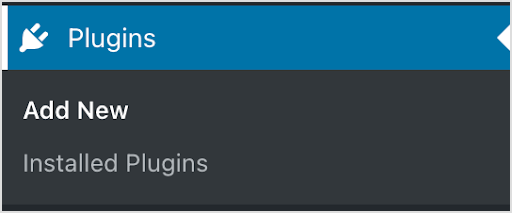
4. Click Upload Plugin
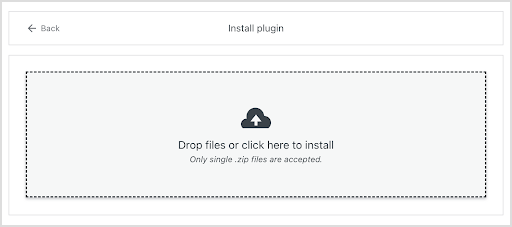
5. Drag and drop the Marsello for WooCommerce .zip file. WooCommerce installs the plugin and shows a success screen when it's done.
6. Click Manage plugin. This takes you to the Installed Plugins page.
7. Scroll to Marsello for WooCommerce
8. Click Settings
📝 Note: You will need to go back to the Marsello admin > WooCommerce integration to get your API key. Click the Copy icon to copy the API Key .
9. In WooCommerce’s Marsello for WooCommerce settings, paste the API key. Click Save Changes
10. Back in the Marsello > WooCommerce integration, click Test Connection to ensure that the Marsello for WooCommerce plugin is installed correctly.
📝 Note: You will see a ✅ if everything is installed correctly. If a step has been missed in the connection process, you will see a ❌.